> ## Documentation Index
> Fetch the complete documentation index at: https://docs.honeyhive.ai/llms.txt
> Use this file to discover all available pages before exploring further.
# Key Concepts
> The key concepts behind the HoneyHive Platform
HoneyHive's abstractions have been designed for maximal extensibility & reusability. All concepts are minimally opinionated.
### Project
Everything in HoneyHive is organized by projects. A project is a logically-separated workspace to develop, evaluate, and monitor a specific AI agent or an end-to-end application leveraging one or multiple agents.
### Sessions & Events
**Event:** An `event` tracks the execution of different parts of your application along with related metadata, user feedback and so on. This is synonymous with a single span in a trace.
**Session:** A `session` is a collection of events that are related to a single user interaction with your application, typically incorporating multiple turns. Sessions can be used to trace a single agent execution or the end-to-end user session, depending on your configuration.
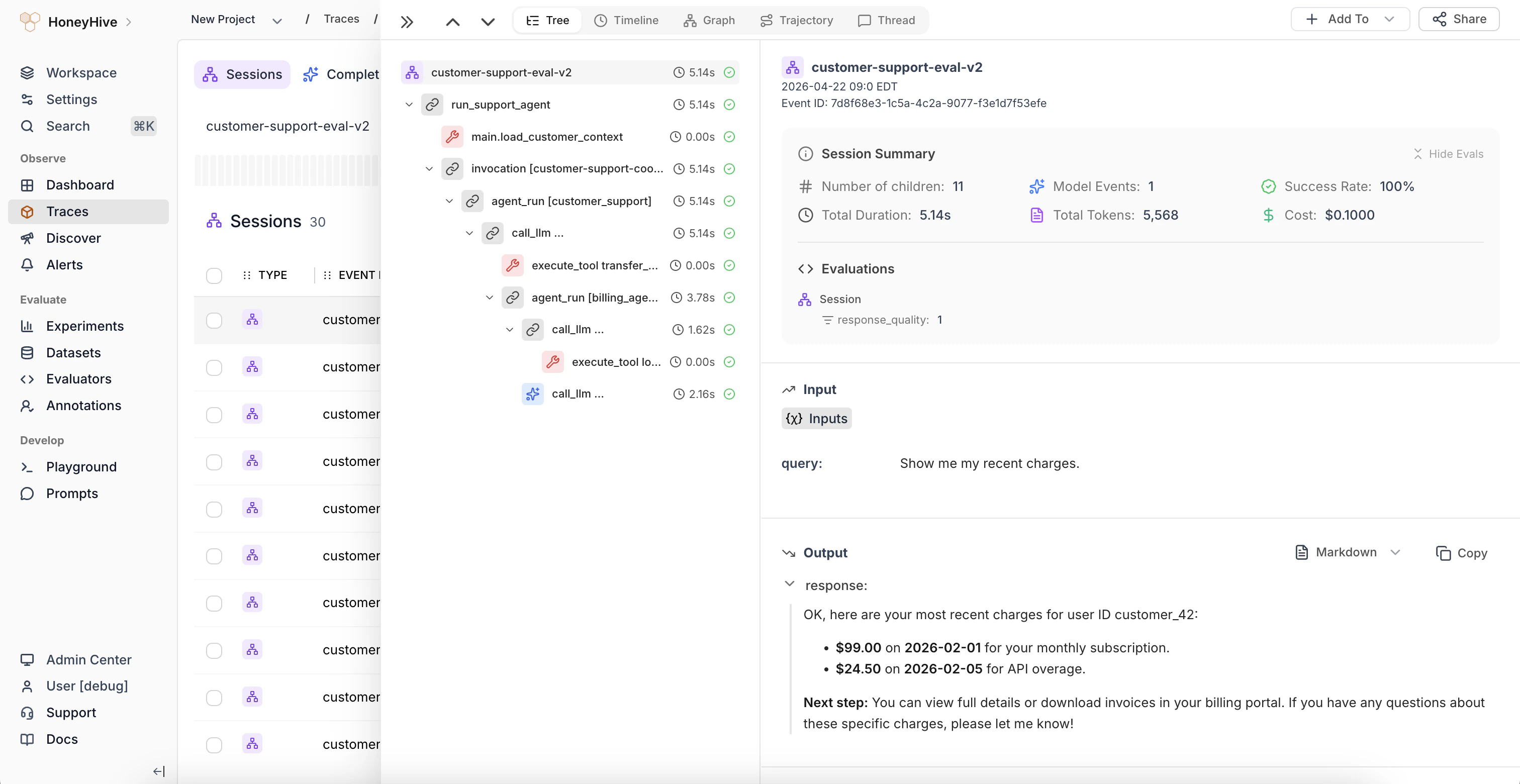 Full details on events and the specific properties they track can be found in the [Schema Overview](/schema-overview).
### Experiment Run
An experiment run is a collection of sessions that track the execution of your end-to-end application (or a single agent) based on a common `run_id` on `metadata`.
In our interface, we summarize the `metrics` present on the session & all its children. Presenting an interface as shown below:
Full details on events and the specific properties they track can be found in the [Schema Overview](/schema-overview).
### Experiment Run
An experiment run is a collection of sessions that track the execution of your end-to-end application (or a single agent) based on a common `run_id` on `metadata`.
In our interface, we summarize the `metrics` present on the session & all its children. Presenting an interface as shown below:
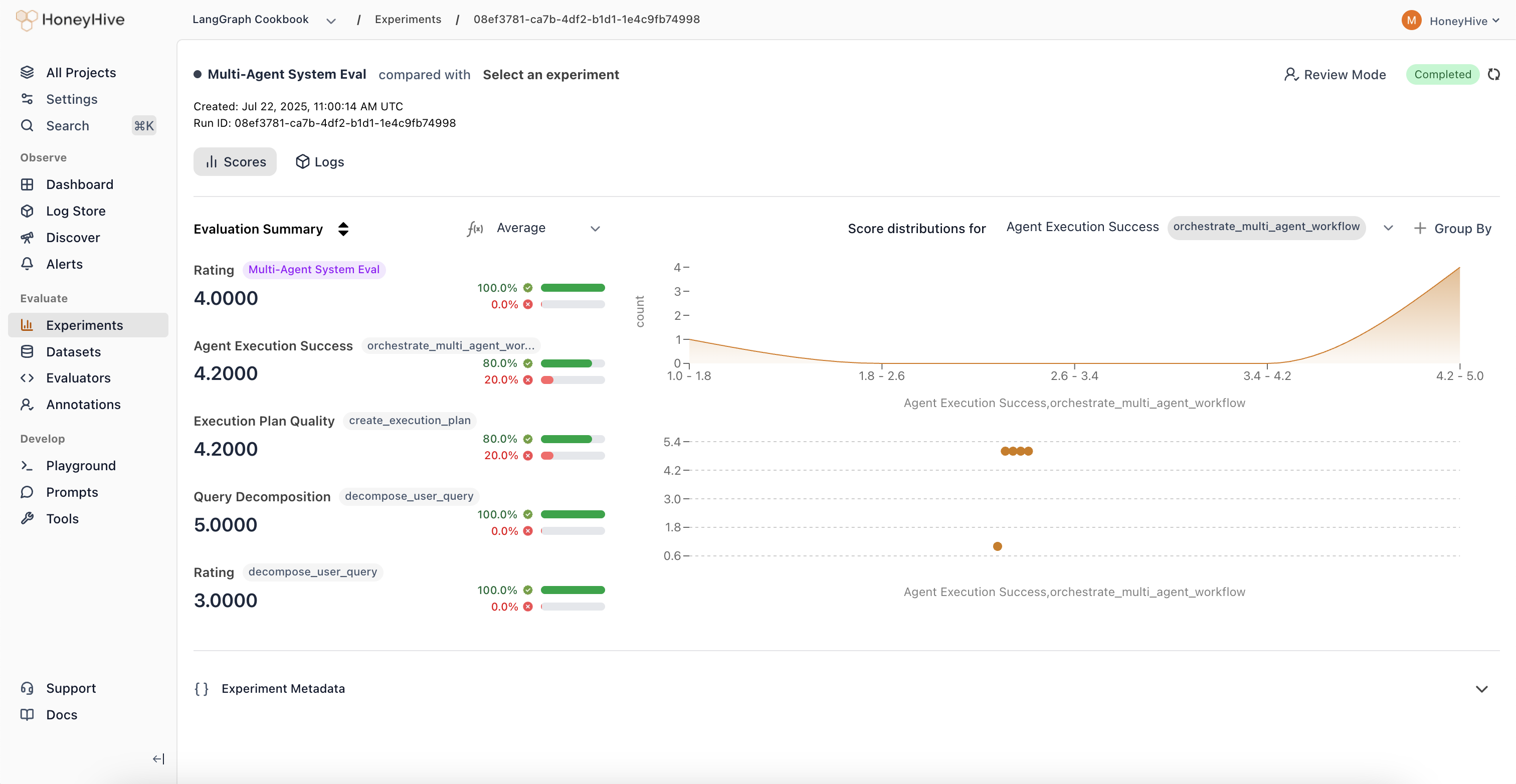 In this interface, you can apply different aggregation functions over the metrics, filter for particular sessions, and step into the trace view for each run.
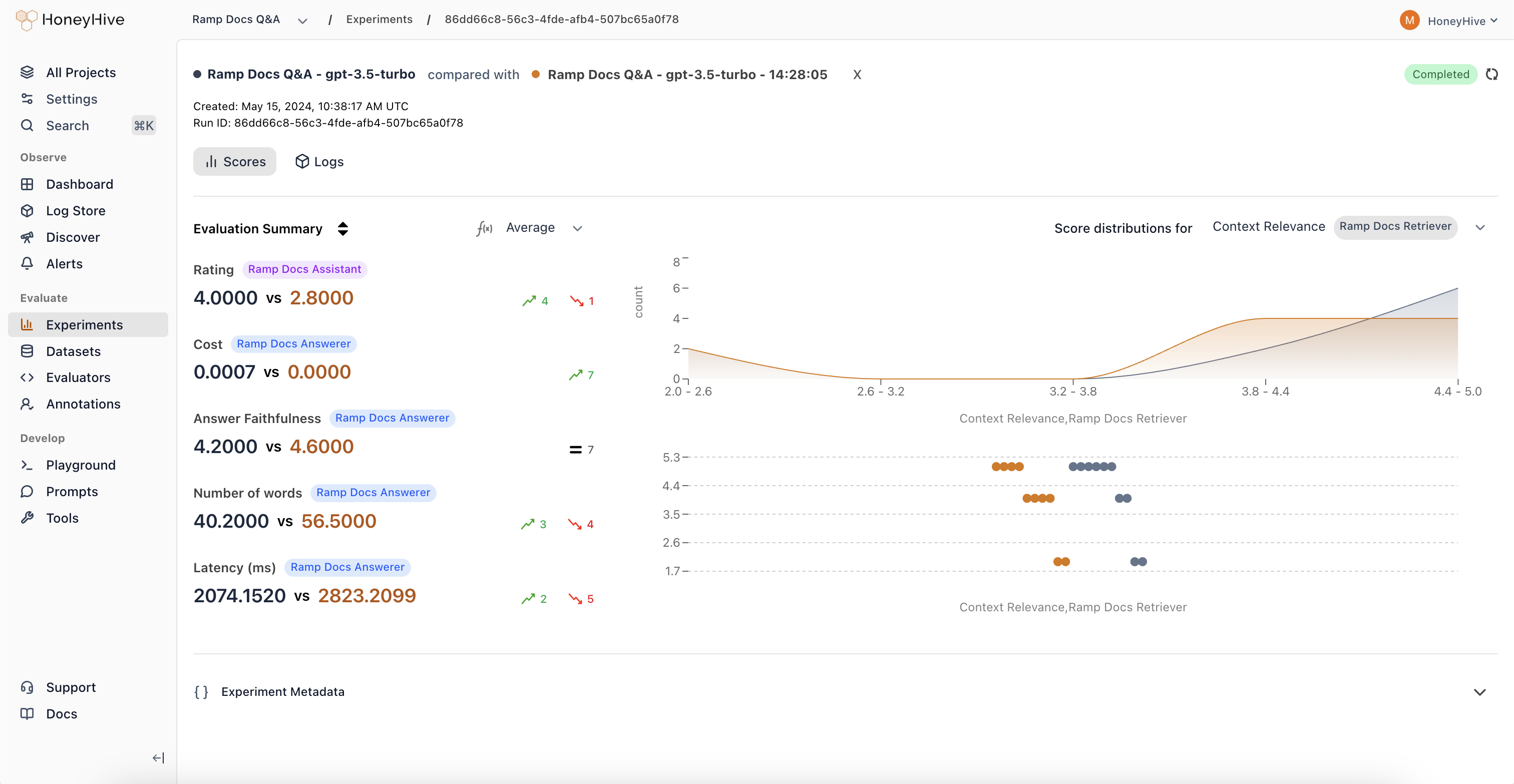 Two evaluation runs can compare sessions/events against each other when they have a common `datapoint_id` on `metadata`.
### Configuration
A configuration is a generic set of parameters that define the behavior of any component in your application - be that the model, a sub-component, or the application itself.
### Prompt
Two evaluation runs can compare sessions/events against each other when they have a common `datapoint_id` on `metadata`.
### Configuration
A configuration is a generic set of parameters that define the behavior of any component in your application - be that the model, a sub-component, or the application itself.
### Prompt
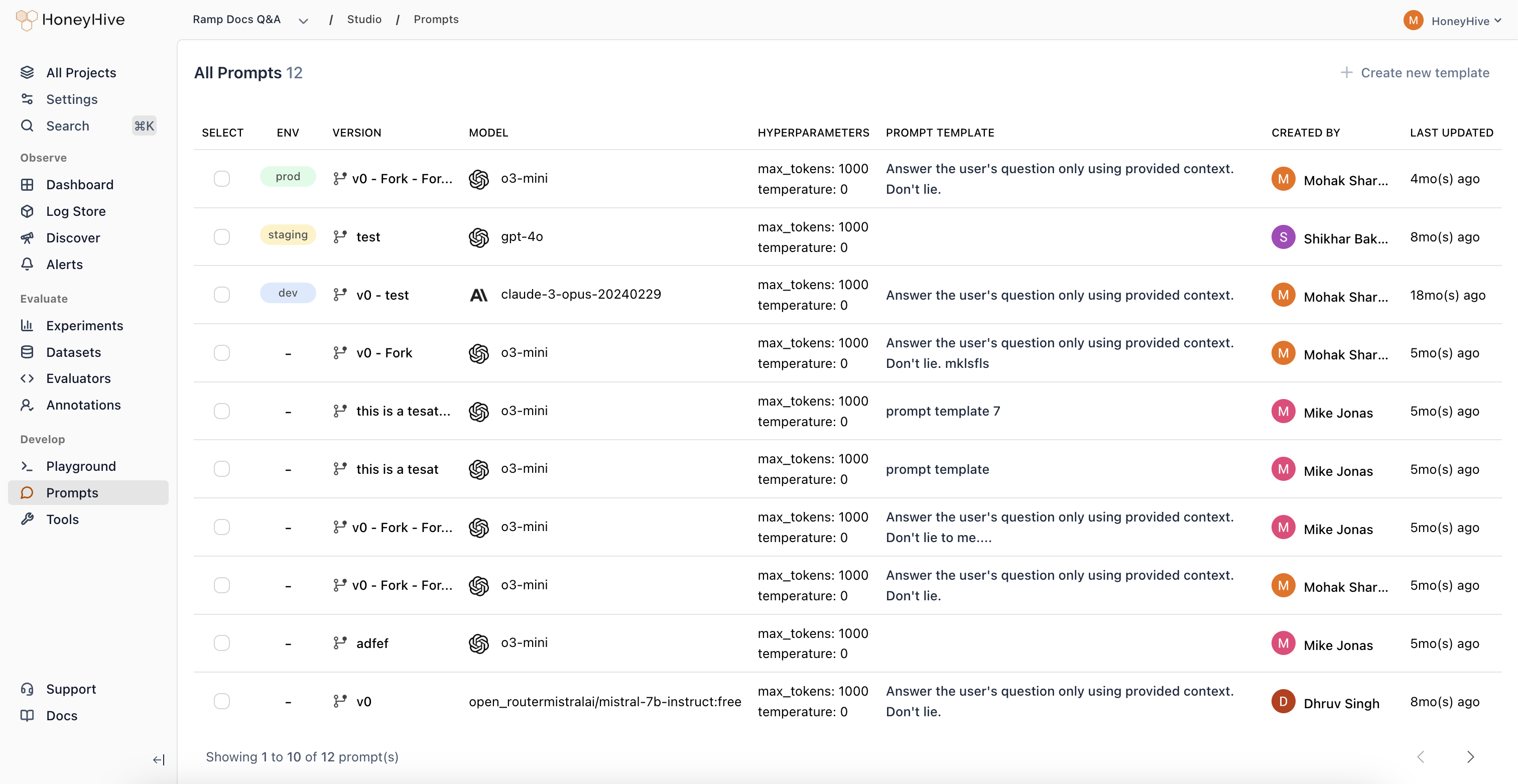 A prompt is an opinionated configuration for your agent. It includes the model name, provider, prompt template, and any other hyperparameters (including functions/tools associated with your template). HoneyHive allows you to manage prompt configurations within the UI and integrate them into your code. Learn more [here](/prompts/deploy).
### Datapoint
A datapoint is a set of input-output pairs (along with any metadata) pertaining to your end-to-end application or a specific agent within your application.
A prompt is an opinionated configuration for your agent. It includes the model name, provider, prompt template, and any other hyperparameters (including functions/tools associated with your template). HoneyHive allows you to manage prompt configurations within the UI and integrate them into your code. Learn more [here](/prompts/deploy).
### Datapoint
A datapoint is a set of input-output pairs (along with any metadata) pertaining to your end-to-end application or a specific agent within your application.
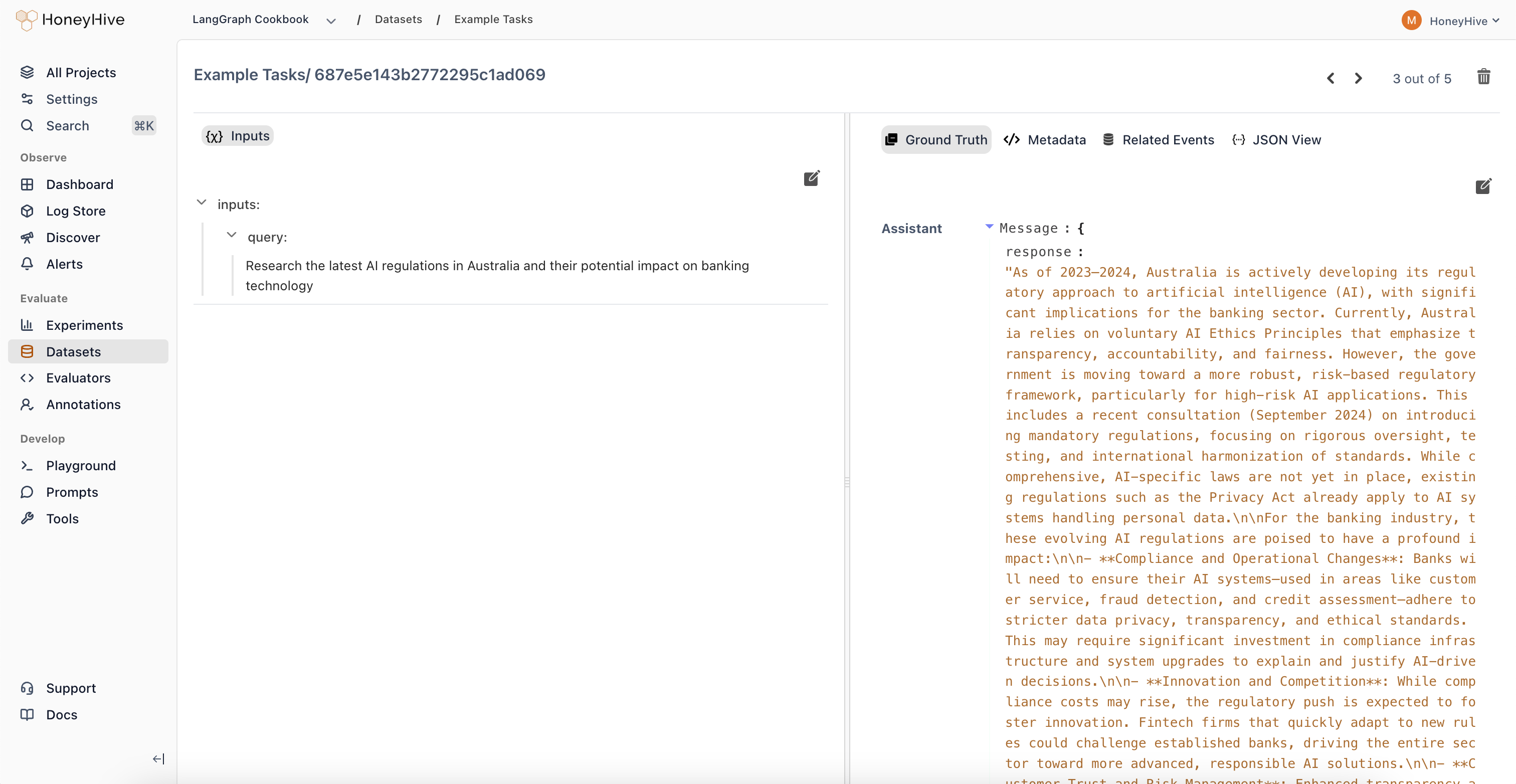 Each datapoint has a unique `datapoint_id` that can be used to track it across different sessions, evaluation runs, and comparisons.
They are also linked to the events that generated them, so you can always trace back to the original data.
### Dataset
A dataset is a collection of datapoints that can be used to run evals, fine-tune custom models, or however you see fit.
Datasets can be exported and used programmatically in your CI or fine-tuning pipelines. Learn more [here](/datasets/introduction).
### Evaluator
An evaluator is a function ([Python](/evaluators/python) or [LLM-as-a-judge](/evaluators/llm)) that runs over an event to evaluate the performance of your application.
Each datapoint has a unique `datapoint_id` that can be used to track it across different sessions, evaluation runs, and comparisons.
They are also linked to the events that generated them, so you can always trace back to the original data.
### Dataset
A dataset is a collection of datapoints that can be used to run evals, fine-tune custom models, or however you see fit.
Datasets can be exported and used programmatically in your CI or fine-tuning pipelines. Learn more [here](/datasets/introduction).
### Evaluator
An evaluator is a function ([Python](/evaluators/python) or [LLM-as-a-judge](/evaluators/llm)) that runs over an event to evaluate the performance of your application.
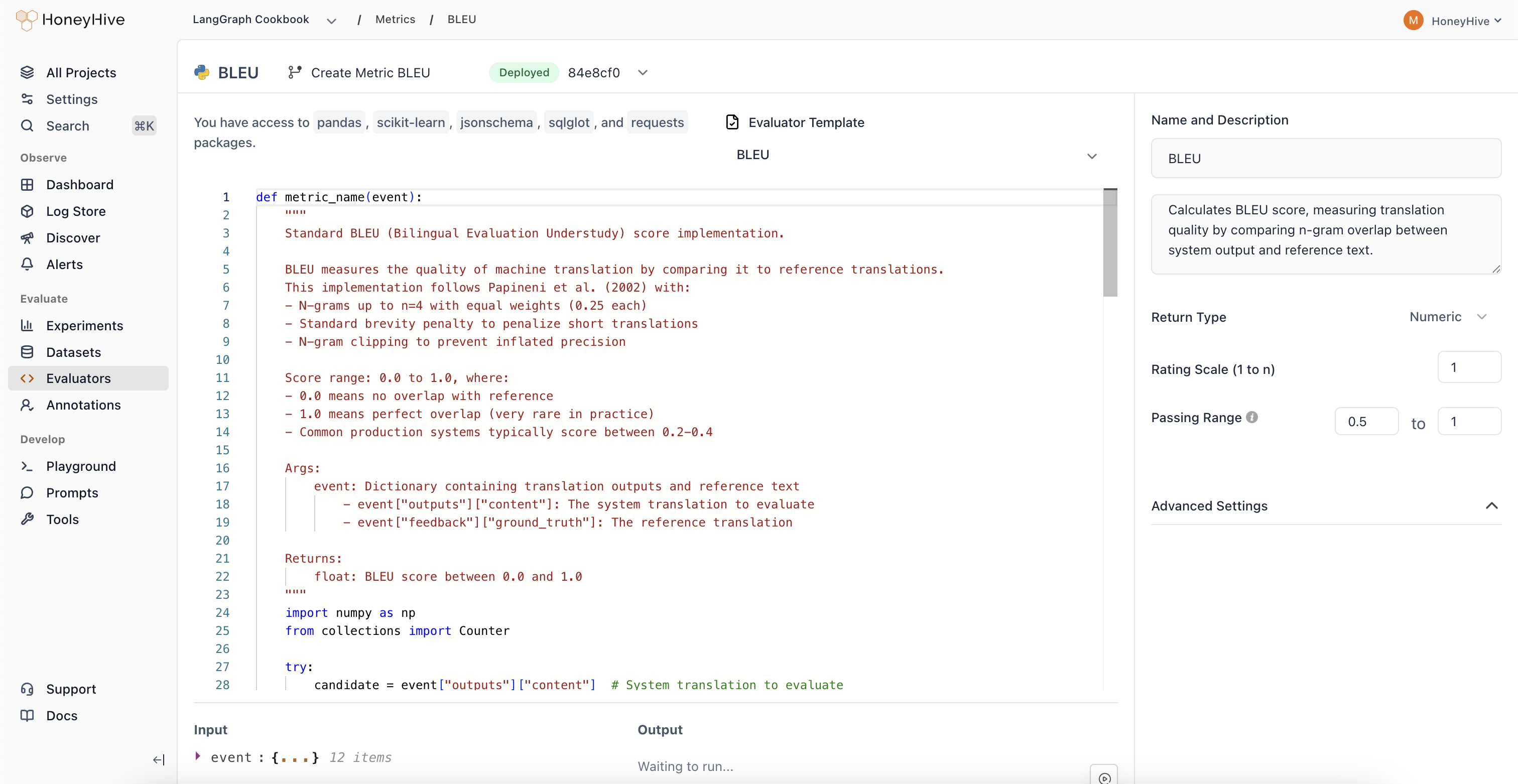 We support both client-side and server-side execution, so you can decide to run the evaluation on your own infrastructure or use our managed service. Learn more [here](/evaluators/introduction).