> ## Documentation Index
> Fetch the complete documentation index at: https://docs.honeyhive.ai/llms.txt
> Use this file to discover all available pages before exploring further.
# Python Evaluators
> Technical documentation for creating custom Python evaluators in HoneyHive
Python evaluators allow you to create custom evaluations for any steps in your pipeline using Python code.
## Creating a Python Evaluator
1. Navigate to the [**Evaluators**](https://app.us.honeyhive.ai/metrics) tab in the HoneyHive console.
2. Click `Add Evaluator` and select `Python Evaluator`.
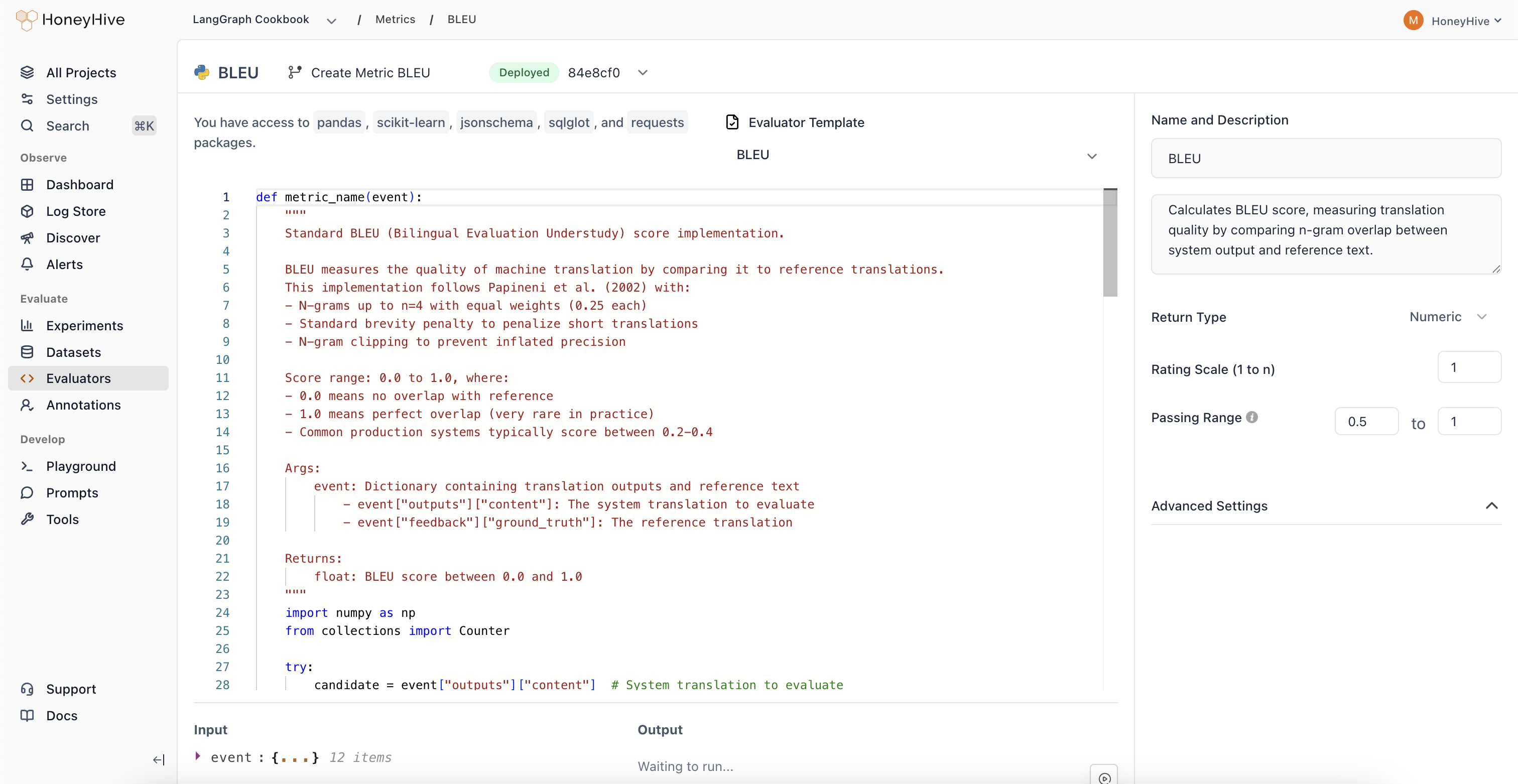 HoneyHive's server-side Python evaluators have access to Python's complete standard library and popular third-party packages including `pandas`, `scikit-learn`, `jsonschema`, `sqlglot`, and `requests`
## Event Schema
Python evaluators operate on `event` objects. Key properties include:
* `event_type`: Type of event (e.g., "model", "tool", "chain", "session")
* `event_name`: Name of the specific event
* `inputs`: Input data for the event
* `outputs`: Output data from the event
* `feedback`: User feedback and ground truth data
- `event_type`: The type of event. Can be `model`, `tool`, `chain`, or `session`.
- `event_name`: The name of the event or session.
- `inputs`: The inputs to the event or session.
- `output`: The output of the event or session.
- `feedback`: A JSON object presenting user feedback for the event.
Use `Show Schema` in the evaluator console to explore available event properties.
## Evaluator Function
Define your evaluation logic in a Python function:
```python theme={null}
def check_unwanted_phrases(event):
unwanted_phrases = ["As an AI language model", "I'm sorry, but I can't", "I don't have personal opinions"]
model_completion = event["outputs"]["content"]
return not any(phrase.lower() in model_completion.lower() for phrase in unwanted_phrases)
result = check_unwanted_phrases(event)
```
Looking for ready-made examples? Check out our [list of Python Evaluator Templates.](/evaluators/evaluator-templates)
When using Python evaluators, keep in mind the ideal resource limits: 1GB memory and a 30-second timeout for execution.
Ensure your code is optimized to stay within these constraints for smooth performance.
## Configuration
### Return Type
* `Boolean`: For true/false evaluations
* `Numeric`: For numeric scores or ratings
* `String`: For categorical evals or other objects
### Passing Range
Passing ranges are useful in order to be able to detect which test cases failed in your evaluation. This is particularly useful for defining pass/fail criteria on a datapoint level in your CI builds.
### Online Evaluation
Toggle to enable real-time evaluation in production. We define production as any traces where `source != evaluation` when initializing the tracer.
## Event Filters
You can choose to compute your evaluator over a specific `event_type` and `event_name` in your pipeline, including the root span (`session`).
## Testing
You can quickly test your evaluator with the built-in IDE by either defining your datapoint to test against in the JSON editor, or retrieving any recent events from your project to test your evaluator against.
HoneyHive's server-side Python evaluators have access to Python's complete standard library and popular third-party packages including `pandas`, `scikit-learn`, `jsonschema`, `sqlglot`, and `requests`
## Event Schema
Python evaluators operate on `event` objects. Key properties include:
* `event_type`: Type of event (e.g., "model", "tool", "chain", "session")
* `event_name`: Name of the specific event
* `inputs`: Input data for the event
* `outputs`: Output data from the event
* `feedback`: User feedback and ground truth data
- `event_type`: The type of event. Can be `model`, `tool`, `chain`, or `session`.
- `event_name`: The name of the event or session.
- `inputs`: The inputs to the event or session.
- `output`: The output of the event or session.
- `feedback`: A JSON object presenting user feedback for the event.
Use `Show Schema` in the evaluator console to explore available event properties.
## Evaluator Function
Define your evaluation logic in a Python function:
```python theme={null}
def check_unwanted_phrases(event):
unwanted_phrases = ["As an AI language model", "I'm sorry, but I can't", "I don't have personal opinions"]
model_completion = event["outputs"]["content"]
return not any(phrase.lower() in model_completion.lower() for phrase in unwanted_phrases)
result = check_unwanted_phrases(event)
```
Looking for ready-made examples? Check out our [list of Python Evaluator Templates.](/evaluators/evaluator-templates)
When using Python evaluators, keep in mind the ideal resource limits: 1GB memory and a 30-second timeout for execution.
Ensure your code is optimized to stay within these constraints for smooth performance.
## Configuration
### Return Type
* `Boolean`: For true/false evaluations
* `Numeric`: For numeric scores or ratings
* `String`: For categorical evals or other objects
### Passing Range
Passing ranges are useful in order to be able to detect which test cases failed in your evaluation. This is particularly useful for defining pass/fail criteria on a datapoint level in your CI builds.
### Online Evaluation
Toggle to enable real-time evaluation in production. We define production as any traces where `source != evaluation` when initializing the tracer.
## Event Filters
You can choose to compute your evaluator over a specific `event_type` and `event_name` in your pipeline, including the root span (`session`).
## Testing
You can quickly test your evaluator with the built-in IDE by either defining your datapoint to test against in the JSON editor, or retrieving any recent events from your project to test your evaluator against.
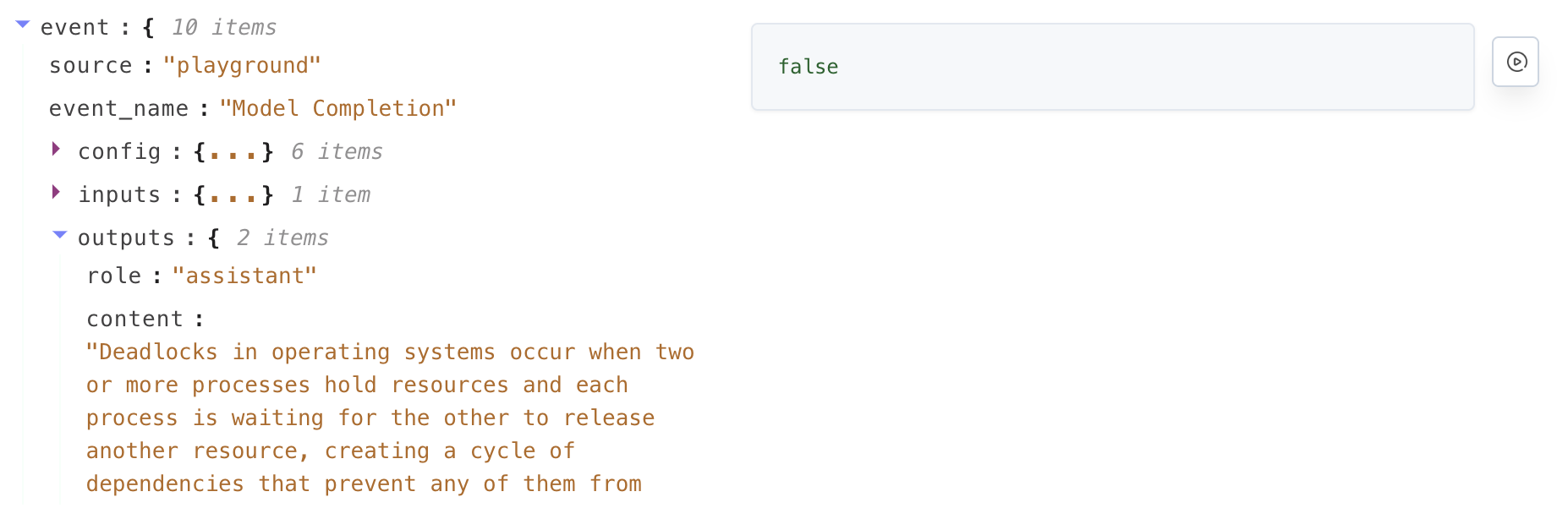 Commit and deploy your evaluator by clicking `Commit` in the top right corner.