> ## Documentation Index
> Fetch the complete documentation index at: https://docs.honeyhive.ai/llms.txt
> Use this file to discover all available pages before exploring further.
# Provider Keys
> Configure AI provider API keys for LLM evaluators and the Playground in HoneyHive. Store credentials securely and scope provider access by workspace.
Provider keys let HoneyHive make API calls to AI providers on your behalf. These are used for:
* **LLM Evaluators** - Run AI-powered evaluations on your traces. See [LLM Evaluators](/v2/evaluators/llm#set-up-an-llm-provider) for setup.
* **Playground** - Test prompts directly in HoneyHive
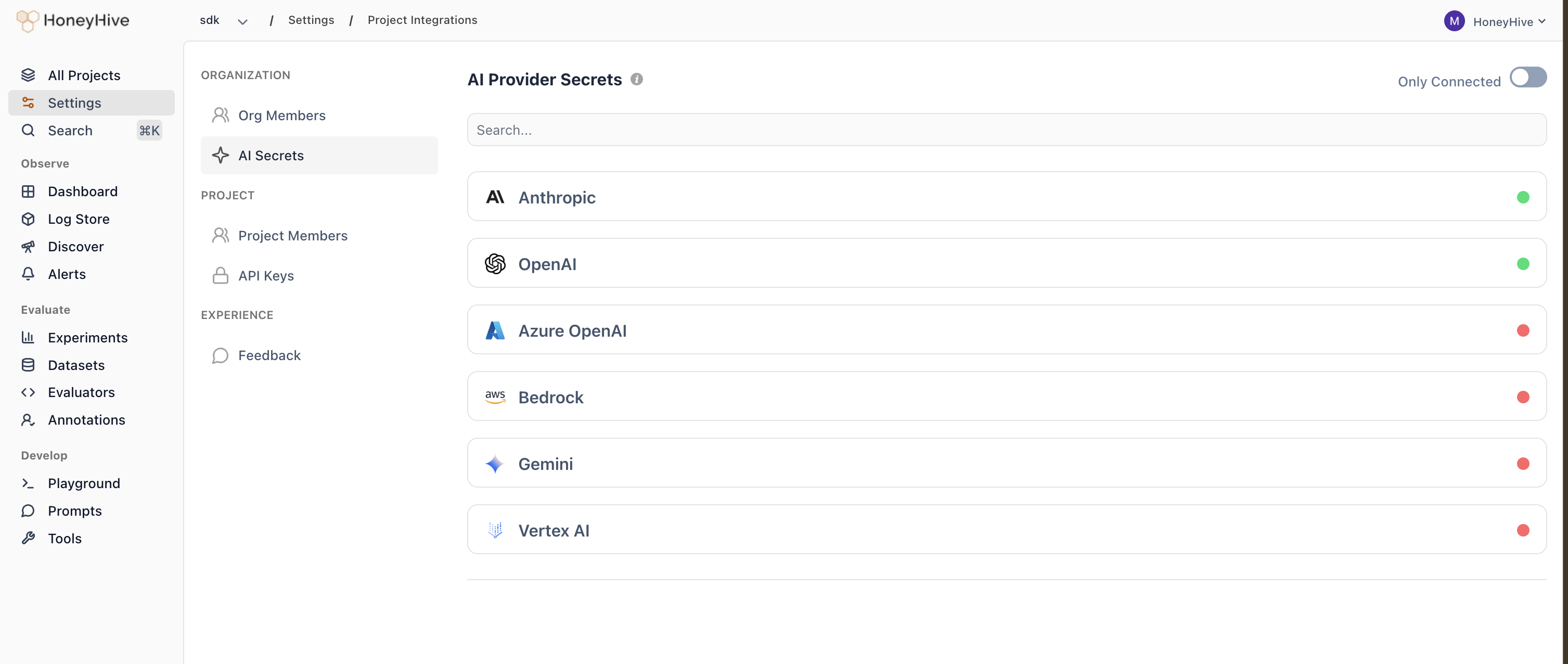 ## Supported providers
| Provider | Required credentials |
| ------------ | --------------------------------------------------------------------------------------------------------------------------------------- |
| Anthropic | API key (`api_key`) |
| OpenAI | API key (`api_key`) |
| Azure OpenAI | API key (`api_key`), endpoint (`api_base`), API version (`api_version`), deployment name (`deployment_name`) |
| Bedrock | Access key (`aws_access_key_id`), secret key (`aws_secret_access_key`), region (`aws_region_name`) |
| Gemini | API key (`api_key`) |
| Vertex AI | Google application credentials JSON (`google_application_credentials`), project ID (`vertexai_project`), location (`vertexai_location`) |
## Configuring provider keys
1. Go to **Settings > Workspace > AI Providers**.
2. Find the provider you want to use and click the pencil icon.
3. Enter the required credentials.
4. Click **Save**.
A green indicator and **Configured** status show that the required credentials have been saved for the provider.
Provider keys are configured at the **workspace level**. All projects within the workspace share the same provider keys.
Workspace Admins have full control over provider keys (create, read, update, delete). Workspace Members can view provider configuration status and use configured providers, but cannot view plaintext secret values or modify credentials. See [Roles](/v2/workspace/roles) for details.
## Supported providers
| Provider | Required credentials |
| ------------ | --------------------------------------------------------------------------------------------------------------------------------------- |
| Anthropic | API key (`api_key`) |
| OpenAI | API key (`api_key`) |
| Azure OpenAI | API key (`api_key`), endpoint (`api_base`), API version (`api_version`), deployment name (`deployment_name`) |
| Bedrock | Access key (`aws_access_key_id`), secret key (`aws_secret_access_key`), region (`aws_region_name`) |
| Gemini | API key (`api_key`) |
| Vertex AI | Google application credentials JSON (`google_application_credentials`), project ID (`vertexai_project`), location (`vertexai_location`) |
## Configuring provider keys
1. Go to **Settings > Workspace > AI Providers**.
2. Find the provider you want to use and click the pencil icon.
3. Enter the required credentials.
4. Click **Save**.
A green indicator and **Configured** status show that the required credentials have been saved for the provider.
Provider keys are configured at the **workspace level**. All projects within the workspace share the same provider keys.
Workspace Admins have full control over provider keys (create, read, update, delete). Workspace Members can view provider configuration status and use configured providers, but cannot view plaintext secret values or modify credentials. See [Roles](/v2/workspace/roles) for details.