Documentation Index Fetch the complete documentation index at: https://docs.honeyhive.ai/llms.txt
Use this file to discover all available pages before exploring further.
You have traces in HoneyHive, but they’re missing context about which user made each request or what feature was being used. Let’s fix that.
What you’ll learn:
Add session-level context (environment, app version)
Add metadata directly to LLM spans
Add metadata to parent spans for complex pipelines
Time: 5 minutes
Setup with Session Context
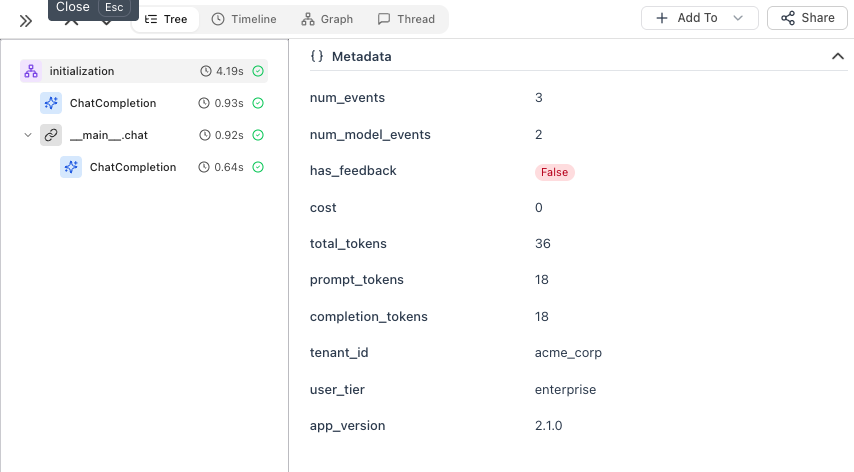
First, initialize the tracer and set session-level context that applies to ALL traces:
from honeyhive import HoneyHiveTracer
from openinference.instrumentation.openai import OpenAIInstrumentor
import openai
tracer = HoneyHiveTracer.init( api_key = "your-key" , project = "my-app" )
OpenAIInstrumentor().instrument( tracer_provider = tracer.provider)
# Session context - set once, applies to all traces
tracer.enrich_session({
"tenant_id" : "acme_corp" ,
"user_tier" : "enterprise" ,
"app_version" : "2.1.0"
})
client = openai.OpenAI()
Option 1: Enrich LLM Spans Directly
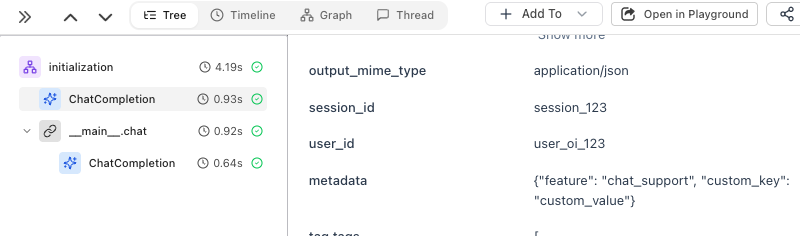
The simplest way to add per-call metadata - use using_attributes from OpenInference:
from openinference.instrumentation import using_attributes
with using_attributes(
session_id = "session_123" ,
user_id = "user_oi_123" ,
metadata = { "feature" : "chat_support" , "custom_key" : "custom_value" },
tags = [ "tutorial" , "test" ]
):
response = client.chat.completions.create(
model = "gpt-4o-mini" ,
messages = [{ "role" : "user" , "content" : "Hello!" }]
)
print (response.choices[ 0 ].message.content)
The metadata is attached directly to the ChatCompletion span:
Option 2: Create a Parent Span
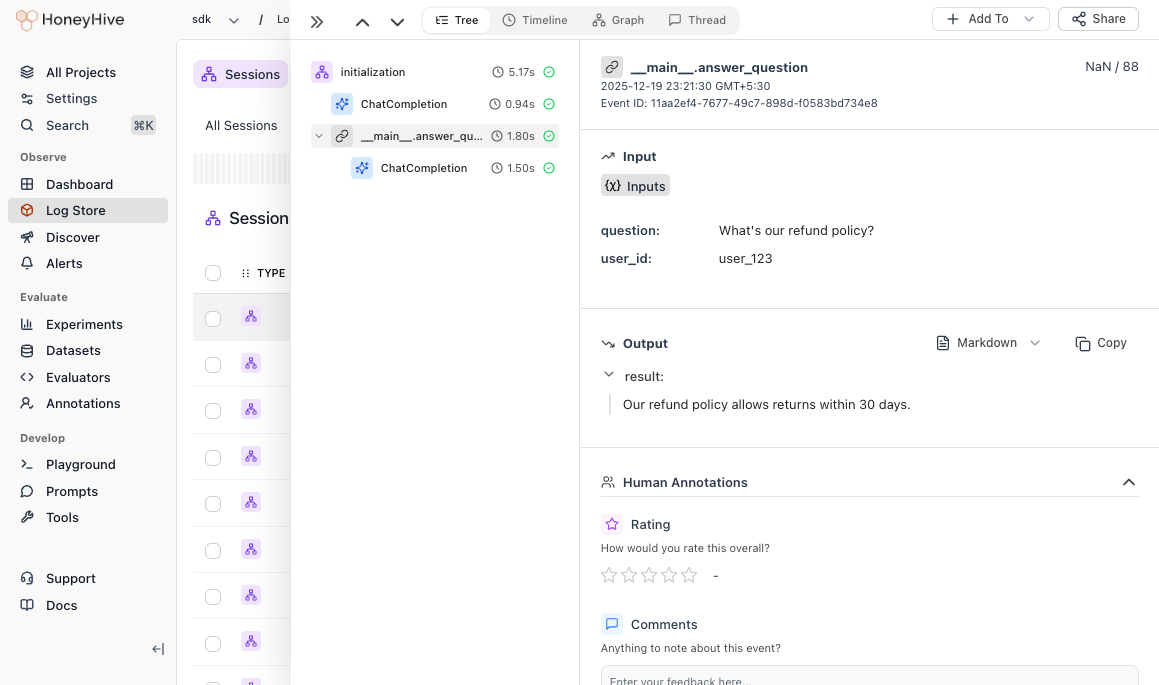
When you have multiple steps (retrieval, processing, LLM calls), use @trace to create a parent span that groups them:
from honeyhive import enrich_span, trace
@trace
def answer_question ( question : str , user_id : str ) -> str :
enrich_span({
"user_id" : user_id,
"feature" : "qa_pipeline"
})
# Step 1: Retrieve relevant context
context = retrieve_documents(question)
# Step 2: Generate answer with context
response = client.chat.completions.create(
model = "gpt-4o-mini" ,
messages = [
{ "role" : "system" , "content" : f "Context: { context } " },
{ "role" : "user" , "content" : question}
]
)
# Step 3: Log the answer
answer = response.choices[ 0 ].message.content
save_to_history(user_id, question, answer)
return answer
result = answer_question( "What's our refund policy?" , user_id = "user_123" )
The parent span groups all steps together, so you can see the full pipeline duration and trace through each step:
When to Use Which
Use Case Pattern Tenant, user tier, app version enrich_session()User ID, feature for LLM calls using_attributesPipeline with multiple LLM calls @trace on the entry point
Best Practices
DO: Add user IDs, feature names, environment. Use descriptive keys (user_id not uid).
DON’T: Include passwords, API keys, or PII. Keep fields under 1KB.
What’s Next?
Run Your First Experiment Set up datasets and run evaluations
Enrichment Reference Detailed guide for advanced enrichment patterns