

Documentation Index
Fetch the complete documentation index at: https://docs.honeyhive.ai/llms.txt
Use this file to discover all available pages before exploring further.
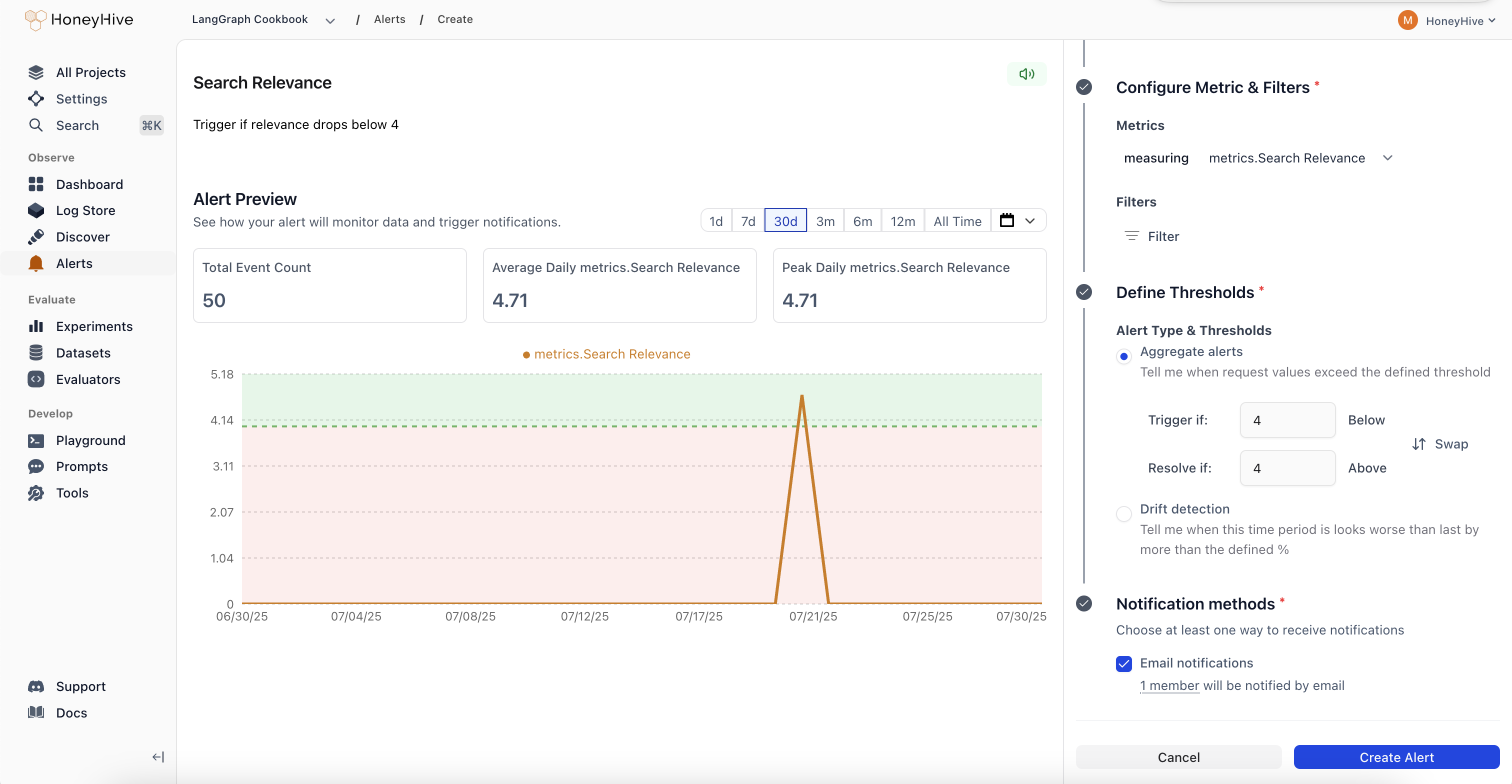
Create an Alert
Name and describe your alert
Give your alert a clear name and description so your team knows what it monitors.
Choose monitoring frequency
Select how often to evaluate your alert:
- Hourly: Checked every hour for immediate detection
- Daily: Checked every hour but evaluated over daily periods
- Weekly: Checked daily but evaluated over weekly periods
- Monthly: Checked daily but evaluated over monthly periods
Select what to monitor
Event Type: Choose the data source for your alert
- Models: Individual LLM API calls and completions
- Sessions: Complete user conversations or workflows
- Tools: Function calls and external integrations
- Chains: Multi-step workflows and complex pipelines
- Filter by event name, tenant, or any custom metadata
- Example: Only monitor production traffic or specific model versions
Define the metric and aggregation
Metric: What to measure. The available metrics depend on the event type you selected:For Models, Tools, and Chains:
duration- Span latencymetadata.*- Any metadata field (e.g.,metadata.total_tokens,metadata.cost)metrics.*- Any custom metric or evaluator score (e.g.,metrics.faithfulness,metrics.relevance)event_id- Event count (use with COUNT aggregation)
duration- Total session wall-clock durationmetadata.cost- Total cost across all LLM calls in the sessionmetadata.total_tokens- Total tokens (prompt + completion) across the sessionmetadata.prompt_tokens- Total prompt tokens across the sessionmetadata.completion_tokens- Total completion tokens across the sessionmetadata.num_events- Number of child spans in the sessionmetadata.num_model_events- Number of LLM call spans in the sessionmetadata.has_feedback- Boolean indicating whether the session has received user feedback
- COUNT: Total number of events
- AVERAGE: Mean value across events
- P90/P95/P99: Percentile values for performance monitoring
- SUM: Total of all values
- MIN/MAX: Extreme values
- MEDIAN: Middle value
Set alert thresholds
Alert Type: Choose between aggregate alerts (absolute thresholds) or drift alerts (relative change detection)Trigger Threshold: The value that triggers the alert
- Aggregate example: “Average latency > 2 seconds”
- Drift example: “25% worse than previous period”
Configure notifications
- Channel: Email is available by default. Slack (via incoming webhook) and Webhook (HTTP endpoint) channels are also supported - self-hosted customers can enable them via environment variables, and cloud customers can contact us to get them enabled.
- Recipients: Choose specific team members or notify all project members