

Run Your First Experiment
New to experiments? Follow our hands-on tutorial to run your first experiment in 10 minutes.
What are the core parts of an experiment?
An experiment consists of three parts:Why Use Experiments?
- Iterate with confidence - Test prompt variations, model configurations, and architectural changes against consistent metrics
- Track improvements - Monitor how changes affect key metrics over time
- Automate quality checks - Run experiments in CI/CD pipelines to catch issues before deployment (see CI Regression Detection)
- Compare approaches - Evaluate different models, retrieval methods, or chunking strategies side-by-side
- Ensure reliability - Catch regressions by testing across diverse scenarios before deploying
How does evaluate() work?
When you callevaluate():
- Run - Your function executes on each datapoint (with automatic tracing)
- Score - Evaluators measure each output against ground truth
- Aggregate - HoneyHive computes metrics (average, min, max)
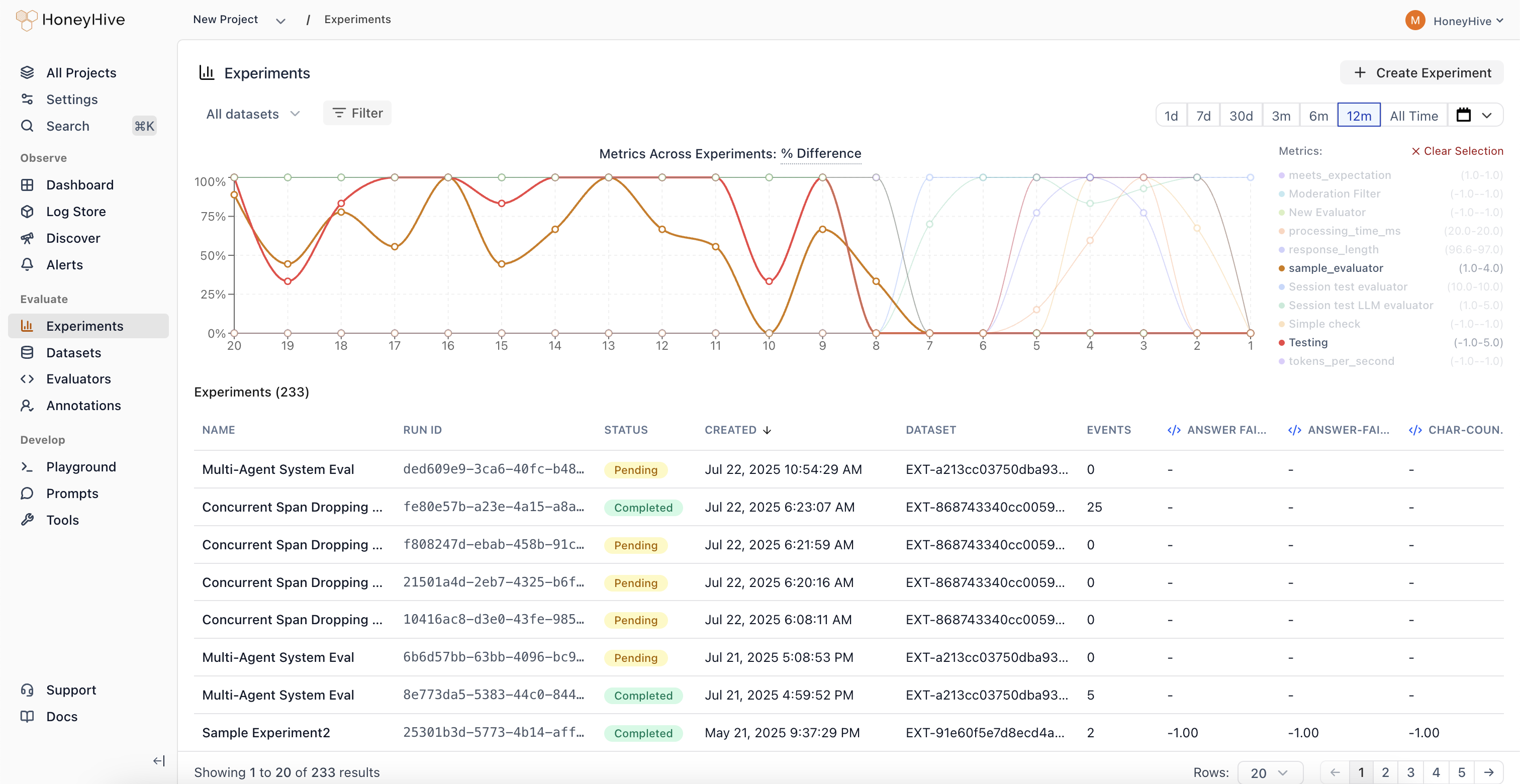
- View - Results appear in the dashboard for analysis
Trace Linking
Every execution creates a traced session with metadata that links it to:run_id- Groups all traces from a single experiment run together. By default,evaluate()auto-generates a UUID for this, but you can pass a customrun_idto correlate results with CI pipelines or other external systemsdatapoint_id- Identifies which test case produced each trace
- Same datapoint, different runs - Compare how prompt v1 vs v2 handled the same input
- Aggregate metrics - See average accuracy across all test cases in a run
- Regression detection - Identify which specific inputs degraded between versions
Auto-Instrumenting LLM Providers
Use theinstrumentors parameter to automatically trace LLM calls from third-party libraries (OpenAI, Anthropic, etc.) during experiments. Each zero-argument factory or constructor is called per datapoint so every datapoint gets its own instrumentor instance for proper trace isolation.
Async Function Support
evaluate() accepts both synchronous and async functions. Async functions are automatically detected and executed with asyncio.run() inside worker threads, with no extra configuration needed.
Parallel Execution
Control concurrency withmax_workers (default: 10). Datapoints run on a worker thread pool, with up to max_workers executing at the same time. Each datapoint still gets its own isolated tracer instance.
Controlling Results Output
By default,evaluate() prints a formatted results table to the console after each run. Disable this with print_results=False:
Git Context
When you runevaluate() from a Git repository, the SDK automatically captures Git metadata on each experiment run:
When you run evaluate() from a Git repository, the SDK automatically captures Git metadata on each experiment run under metadata.git:
Each field is omitted when it isn’t available - for example,
remote_url is absent in a repository with no origin remote.
This metadata makes it easy to trace any result back to the exact code that produced it. No configuration is needed - if git is available and you’re inside a repo, the context is collected automatically.
For deeper understanding of the framework design and evaluation philosophy, see Evaluation Framework.
Where should you go next?
Run Your First Experiment
Hands-on tutorial to get started in 10 minutes
Run with HoneyHive Datasets
Reuse datasets stored in HoneyHive with
dataset_idCompare Runs
Identify improvements and regressions across versions
Sync Offline Evaluations
Sync results you scored yourself, with or without the SDK
CI Regression Detection
Gate every pull request on evaluation metrics via GitHub Actions
ASSERT Integration
Generate behavior-focused tests for HoneyHive-traced agents
Create Evaluators
Build code, LLM-as-judge, or human evaluators
Manage Datasets
Create and version test datasets in HoneyHive