

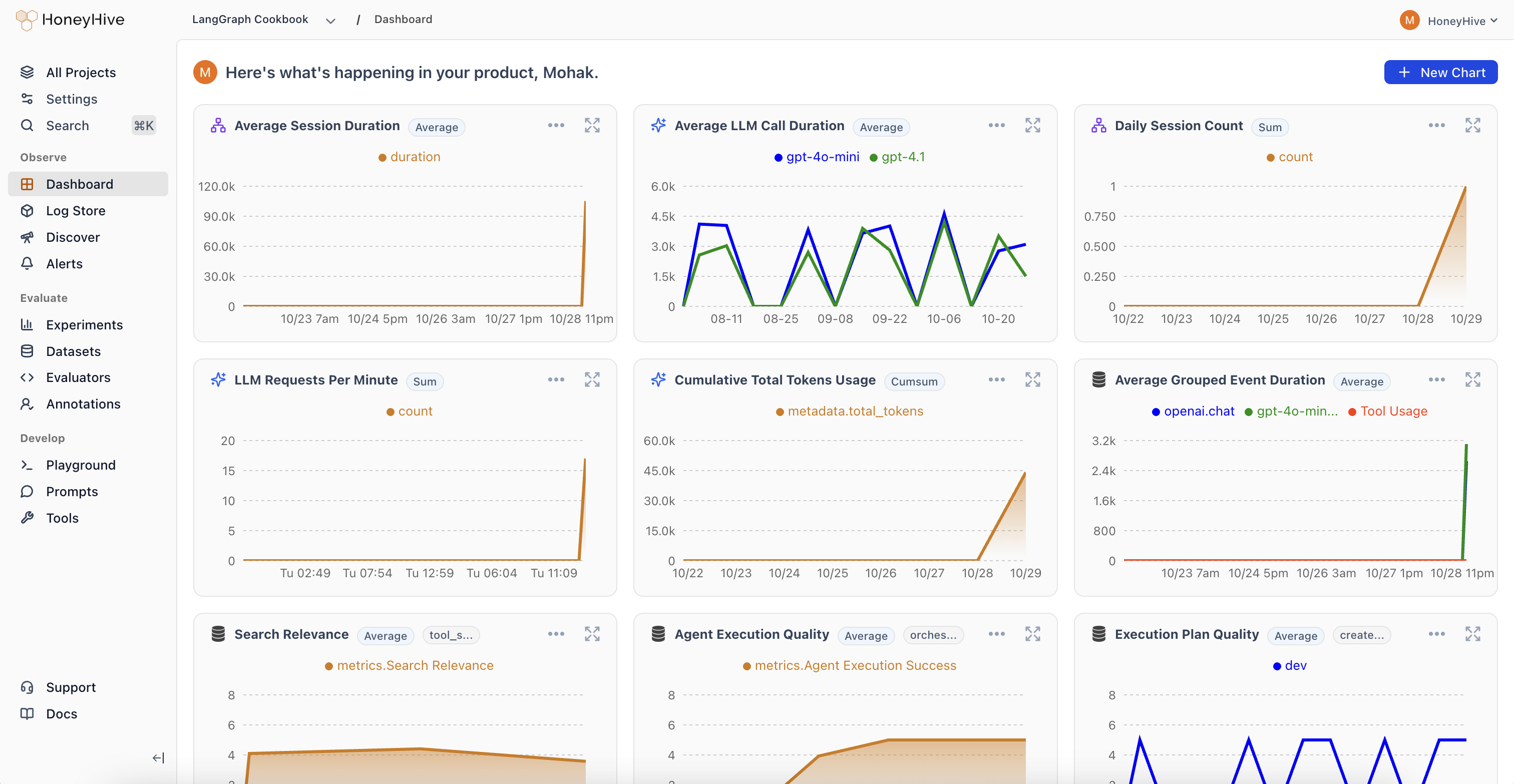
How does the monitoring dashboard work?
HoneyHive aggregates all your production data (traces, evaluations, and user feedback) in one place. This unified view lets you:- Detect Failures: Catch anomalies across your cost, usage, and quality metrics.
- Set Up Proactive Monitoring: Create automated alerts to notify you when metrics exceed thresholds or drift from expected values.
- Form Hypotheses: “I think response quality drops for after 5 agent actions.” “Our new RAG might be causing unintended hallucinations.”
- Explore Your Data: Craft queries to validate or refute these hypotheses in real-time.
- Iterate Continuously: Use insights to tweak prompts, swap models, or refine pipelines, then immediately see the impact.
Where should you start with monitoring?
Creating Charts
Build custom queries and save charts to your project dashboard
Online Evaluations
Configure automated evaluations to run on your production traces
Creating Alerts
Set up automated alerts to catch issues before they impact users