Documentation Index

Fetch the complete documentation index at: https://docs.honeyhive.ai/llms.txt

Use this file to discover all available pages before exploring further.

Online evaluations run your evaluators automatically on ingested traces. This gives you continuous quality scores alongside your cost and latency metrics, without adding latency to your application.

How It Works

When you enable an evaluator, HoneyHive runs it asynchronously on incoming traces:
  1. Your application sends traces to HoneyHive
  2. HoneyHive matches traces against your evaluator’s event filters
  3. Matching events are evaluated (subject to your sampling rate)
  4. Results appear as metrics in your dashboard and on individual traces
Online evaluations run on all ingested traces that match your evaluator’s event filters, including both production and experiment traces.

Enabling Online Evaluation

You can enable online evaluation on any server-side evaluator (Python or LLM):
1

Go to the Evaluators page

Navigate to the Evaluators tab in HoneyHive.
2

Create or select an evaluator

Create a new Python or LLM evaluator, or select an existing one. Configure event filters, return type, and your evaluation logic.
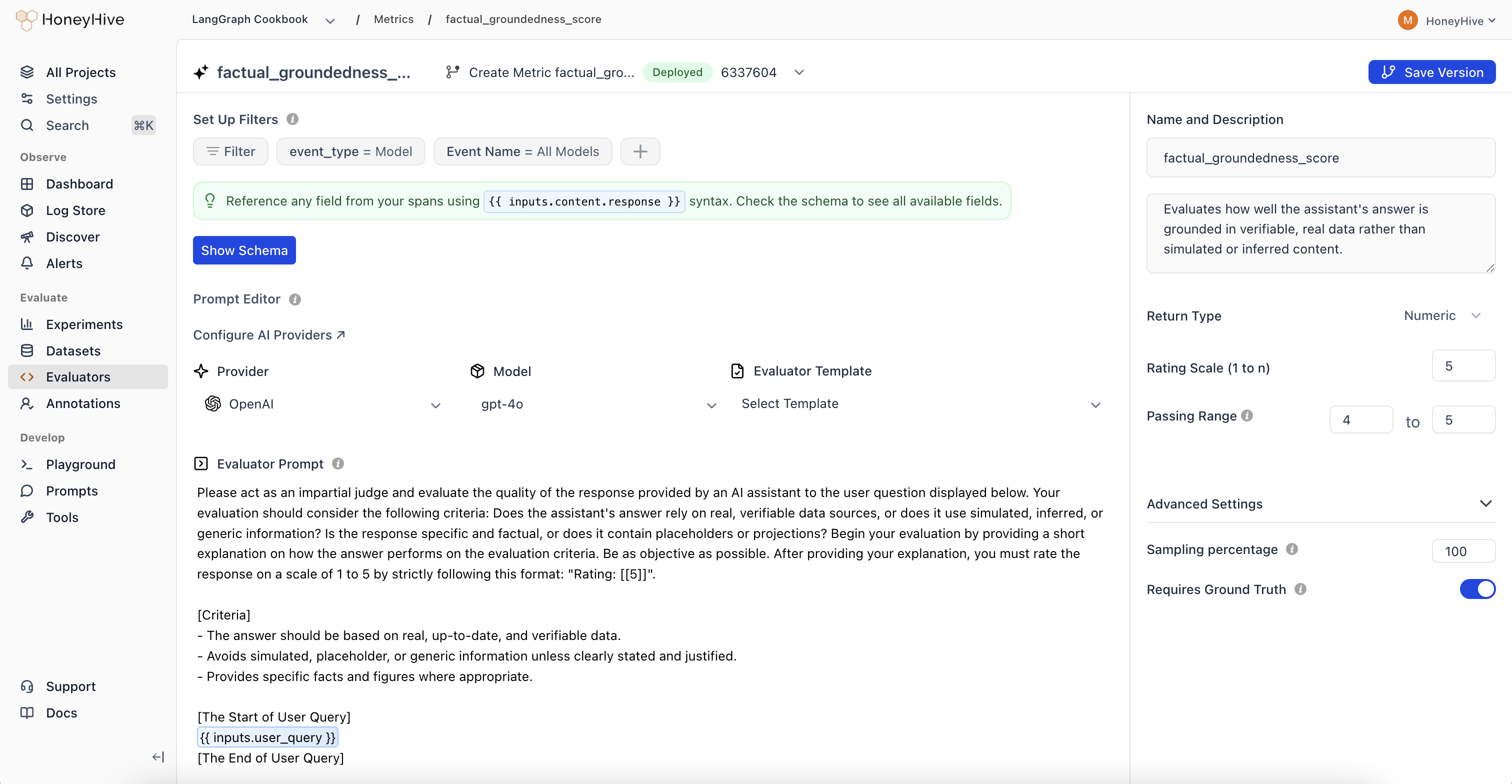
HoneyHive LLM evaluator editor showing event filters set to model type, OpenAI gpt-4o provider, evaluation prompt with template syntax, sampling percentage, and return type configuration
3

Enable the evaluator

Toggle the Enabled switch in the evaluators table. This tells HoneyHive to run this evaluator on all matching traces.
4

Set a sampling percentage

Set the Sampling percentage to control what fraction of matching events get evaluated (e.g., 25%). This controls cost for LLM-based evaluators at high volumes.

Event Filters

Each evaluator has event filters that determine which traces it runs on. You can filter by event type, event name, and any event property from your schema. For example, you might run a hallucination evaluator only on model events named generate_response, or add a filter like metadata.environment is production to limit evaluation to specific contexts. See Event Filters for the full list of supported filter options and operators (which vary by field type).

Sampling

LLM-based evaluators incur model costs for every evaluation. At production scale, use sampling to control spend:
VolumeSuggested SamplingRationale
< 1K events/day100%Full coverage is affordable
1K - 10K events/day25 - 50%Good signal with moderate cost
10K+ events/day5 - 25%Statistical significance with controlled spend
Python evaluators are much cheaper to run than LLM evaluators. You can often run Python evaluators at 100% sampling even at high volumes.

Viewing Results

Online evaluation results are available in two places:
  • Dashboard charts: Select your evaluator as a metric in Custom Charts to track quality over time, group by properties, and set up alerts
  • Individual traces: Each evaluated trace shows its evaluator scores alongside inputs, outputs, and other metadata
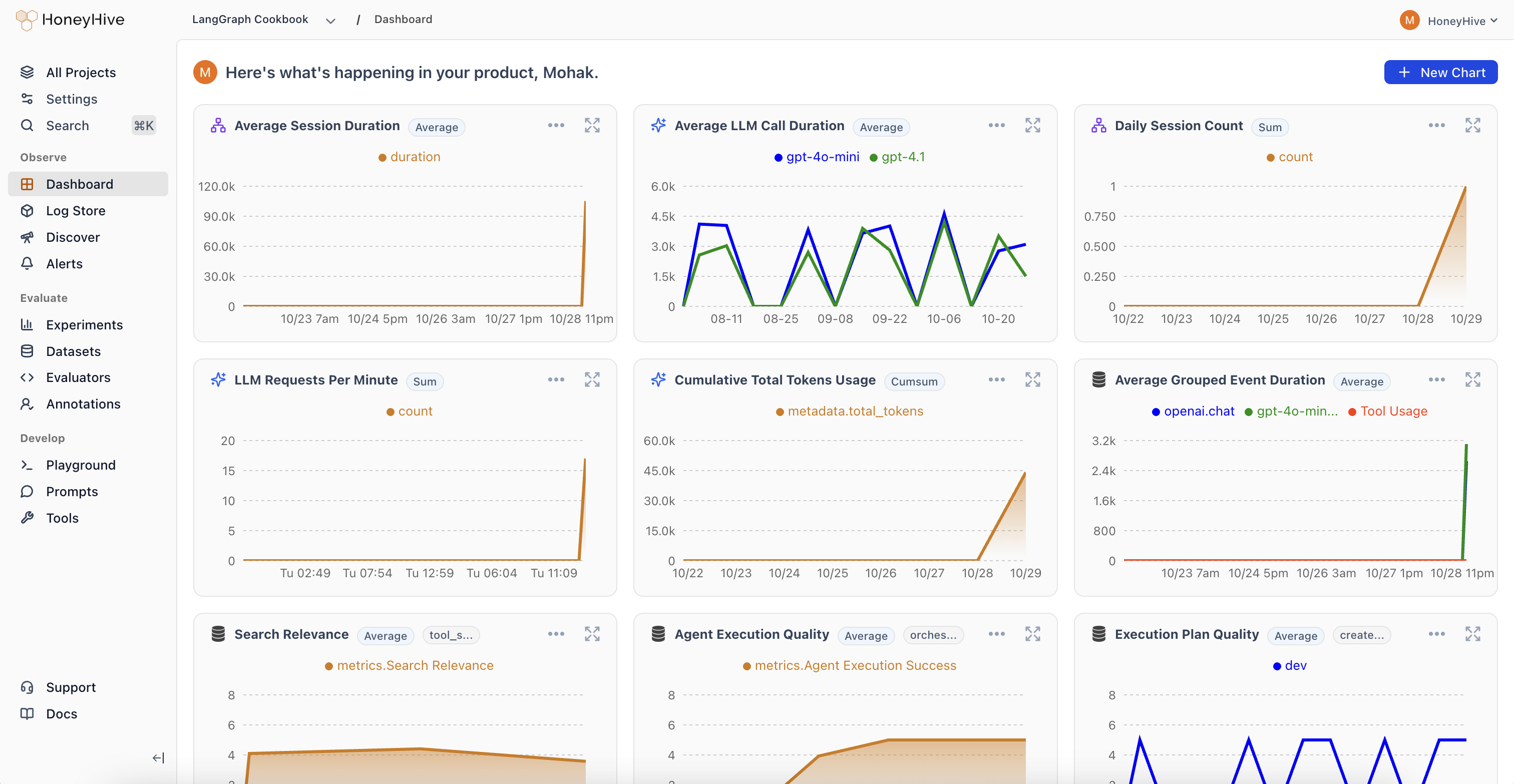
HoneyHive monitoring dashboard showing charts for session duration, LLM call duration, token usage, and custom evaluator metrics like Search Relevance and Agent Execution Quality
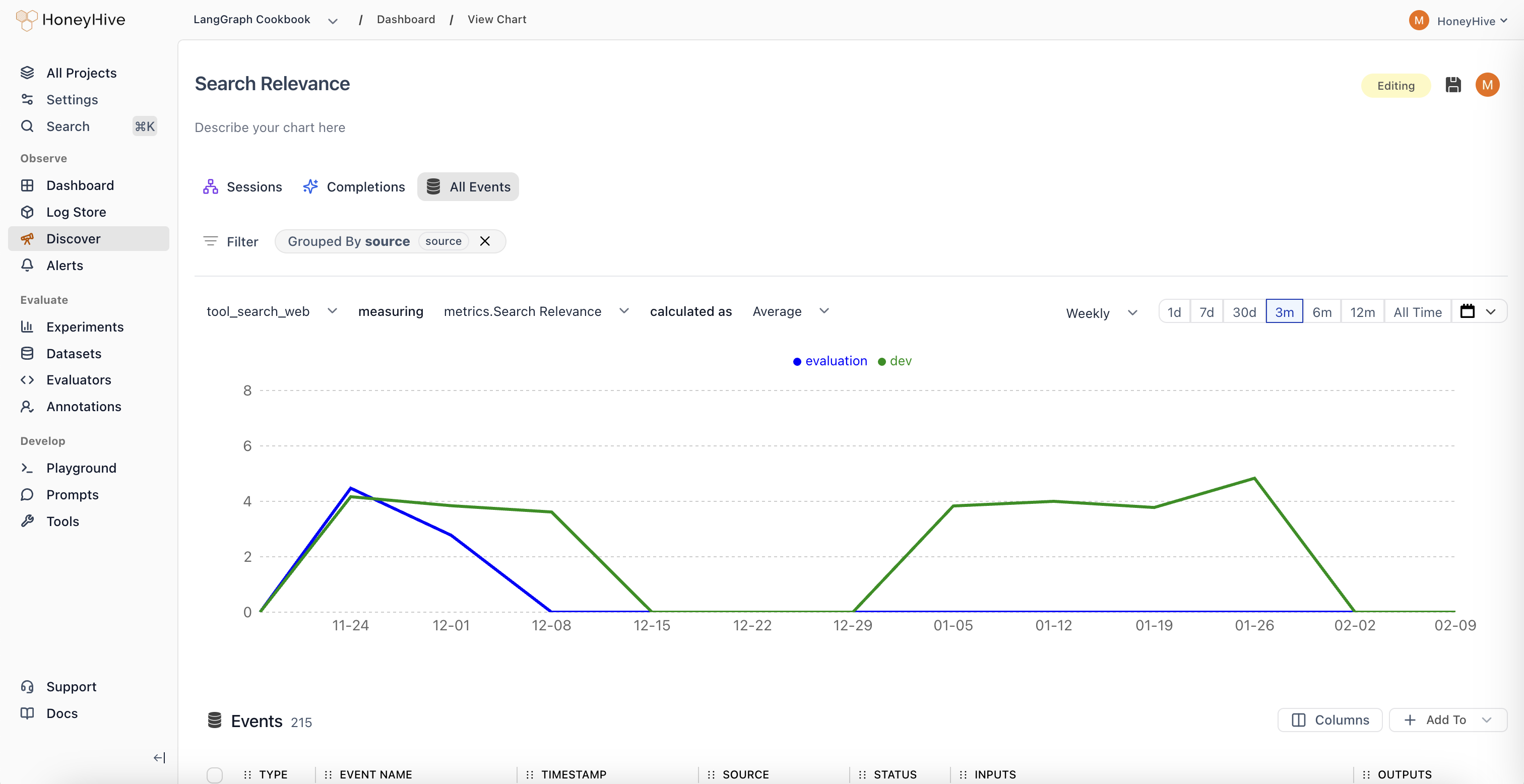
You can also use the Discover view to build custom queries on evaluator scores, filter by source, and drill into individual events.
HoneyHive Discover view showing a Search Relevance evaluator metric charted over time for a tool_search_web event, grouped by source

Choosing Between Client-Side and Server-Side

Client-SideServer-Side (Online)
RunsIn your applicationOn HoneyHive after ingestion
Latency impactAdds to request timeNone
Best forGuardrails, format checks, PII detectionLLM-as-judge, complex quality scoring
Managed inYour codeHoneyHive UI
Use client-side evaluators for checks that need to happen during execution (guardrails, blocking unsafe responses). Use online evaluations for quality scoring that can happen asynchronously.

Troubleshooting

Evaluator not running on expected events

  • Check event filters: Verify the evaluator’s event type and event name filters match your traces. Filters are AND-ed, so all conditions must match.
  • Check enabled status: The evaluator must be toggled Enabled in the evaluators table.
  • Check sampling: At low sampling percentages, some matching events are intentionally skipped. Increase sampling to verify the evaluator works, then reduce.
  • Check event properties: Property-based filters use dot-path matching (e.g. metadata.environment). Verify the property exists on your events and the value matches.

Evaluator was auto-disabled

If an evaluator fails 100+ times within 1 hour, HoneyHive automatically disables it and creates a version snapshot. This prevents a broken evaluator from consuming resources across all your traces. To recover:
  1. Go to the Evaluators table and find the disabled evaluator
  2. Check the error by running the evaluator manually against a sample event
  3. Fix the evaluation logic
  4. Re-enable the evaluator

Results not appearing on traces

  • Evaluations run asynchronously after ingestion. There is a short delay before scores appear.
  • Check the evaluator’s return type matches your expected output (boolean, numeric, or string).

Next Steps

Python Evaluators

Create code-based evaluators for programmatic checks

LLM Evaluators

Use LLMs to score quality, relevance, and tone

Custom Charts

Visualize evaluator scores in dashboards

Alerts

Get notified when quality metrics drop