

- Quality assessment requiring domain expertise
- Edge cases that automated evaluators can’t handle
- Building ground truth datasets
- Compliance and safety reviews
Creating a Human Evaluator
- Navigate to the Evaluators tab
- Click Add Evaluator and select Human Evaluator
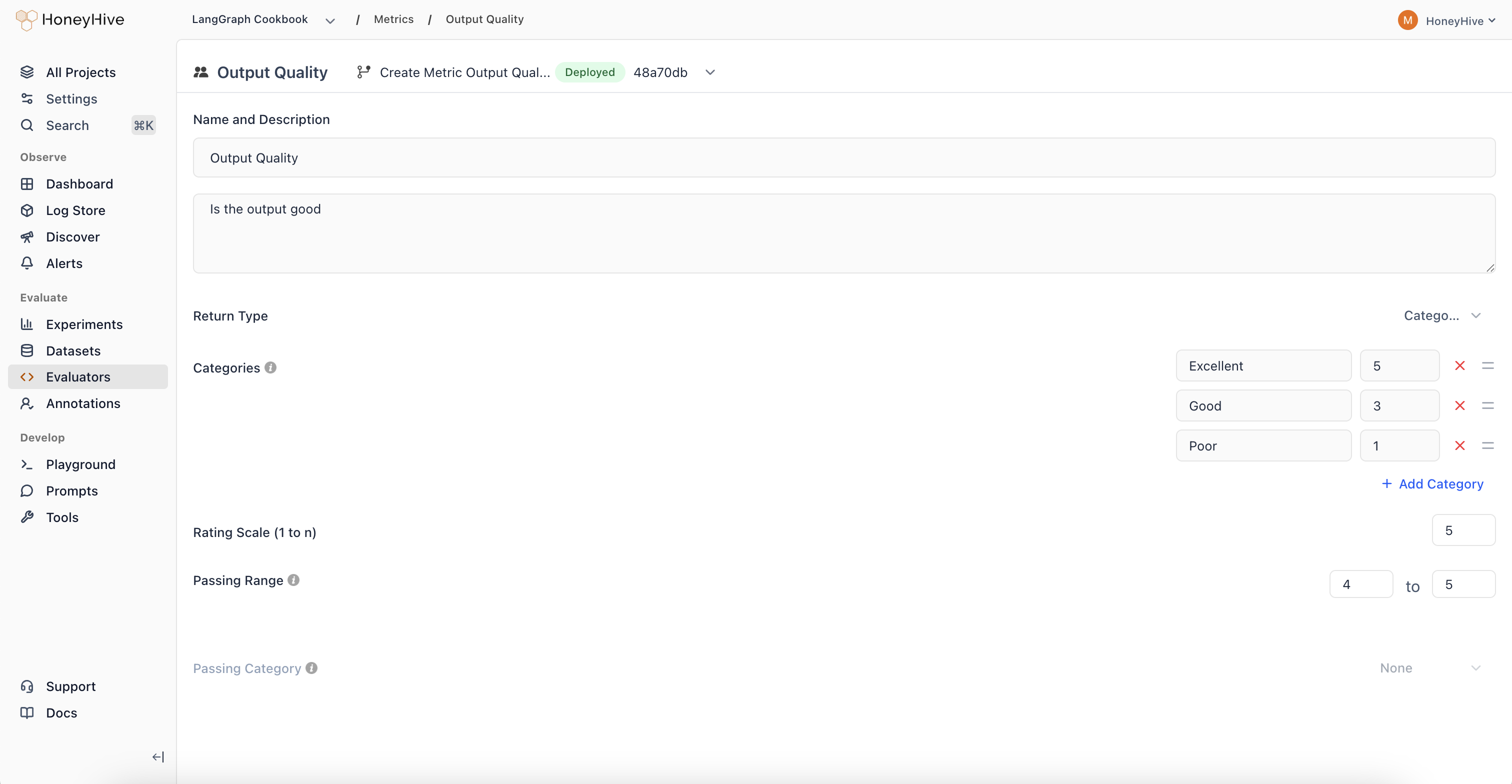
Configuration
Name and Description
The Description field defines evaluation criteria for annotators. Keep it concise and actionable:Return Type
Rating Scale
For Numeric and Categorical types, set the scale range (e.g., 1-5). For Categorical, assign numeric values to each category to enable aggregation.Passing Range
Define which scores indicate acceptable quality. Results outside this range are flagged for review.Using Human Evaluators
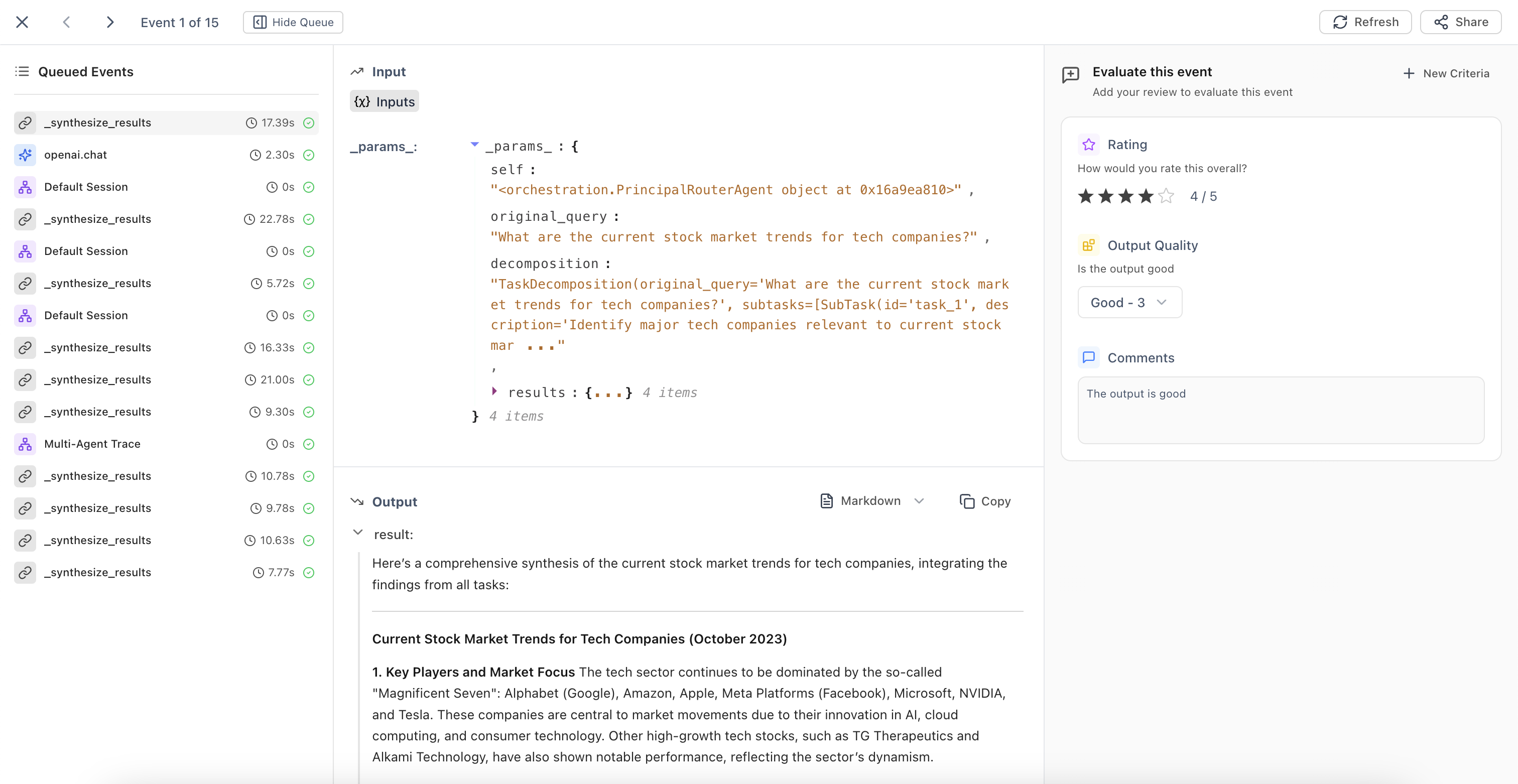
Once created, human evaluators appear in:- Trace detail view - Annotate individual traces
- Review Mode - Batch review with side-by-side input/output
- Annotation Queues - Organized workflows for systematic review
Related
Annotation Queues
Set up automated workflows for human review
Evaluators Introduction
Overview of all evaluator types