

Creating a Python Evaluator
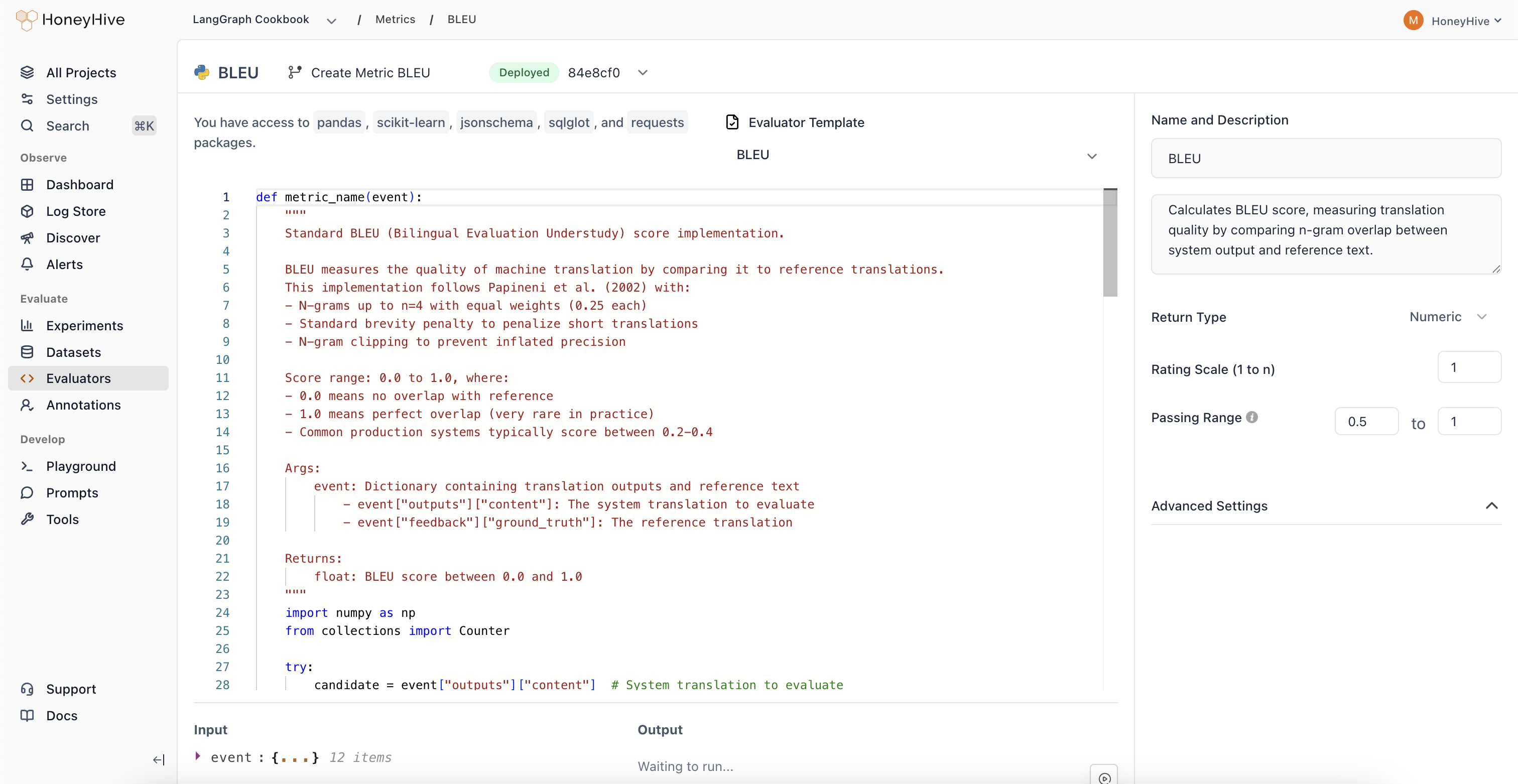
- Navigate to the Evaluators tab in the HoneyHive console.
- Click
Add Evaluatorand selectPython Evaluator.
Event Schema
Python evaluators operate on anevent object representing a span in your traces. The following fields are available as top-level variables in your evaluator code:
Code that references
feedback.ground_truth runs only on events that carry a ground truth value. Events without one record no score at all, rather than a failed score, and if you add ground truth to an event later, the evaluator scores it then. Mentions inside comments and docstrings do not count.
Evaluator Function
Define your evaluation logic in a Python function. The function must take no arguments and access event data through the top-level variables:result:
result, that value is used directly. Otherwise, HoneyHive calls the first callable it finds in your code. If you define helper functions, put them before your main evaluator function so the main one is found first.
Looking for ready-made examples? Check out our Python Evaluator Templates.
Available Packages
The following packages are available for import in your evaluator code:Sandbox Restrictions
Python evaluators run in a sandboxed environment with these limits:- Code size: 4KB maximum
range()limit:range()is capped at 999 elements. For larger iterations, iterate over a list directly (e.g.outputs["content"].split()) which has no iteration limit.- No file I/O:
open()in write mode and package-level I/O functions (e.g.pd.read_csv,np.load) are blocked - No network access: HTTP requests and remote data fetching (e.g.
sklearn.datasets.fetch_*) are not available - Import restrictions: Only the packages listed above can be imported
Configuration
Event Filters
Filter which events this evaluator runs on using event type, event name, and additional property filters. See Event Filters for the full list of supported filter options and operators.Return Type
Boolean: For true/false evaluationsNumeric: For scores or ratings (configure the scale, e.g., 1-5)String: For categorical outputs
Passing Range
Define pass/fail criteria for your evaluator. Useful for CI builds and detecting failed test cases.Advanced Settings
Expand to configure the sampling percentage for production traces. Click Create to save your evaluator.Production Settings
After creating an evaluator, you can enable it for production traces from the Evaluators table:- Enabled: Toggle to run this evaluator on all traces that match your event filters
- Sampling %: When enabled, set a sampling percentage to control costs. The default is 10% (one in ten matching events)
Using with Experiments
When enabled, server-side evaluators automatically run on all traces that match your event filters, including experiment traces. When you runevaluate(), they score the results without any additional code. You can also score experiments with client-side evaluator functions that run in your own code.
Troubleshooting
Run Your First Experiment
Get started with experiments
Experiments Framework
Learn how experiments and evaluators work together
Manage as Code
Check evaluators into your repo and apply them with the CLI