You have traces in HoneyHive, but they’re missing context about which user made each request or what feature was being used. Let’s fix that. What you’ll learn:
  • Add session-level context (environment, app version)
  • Add metadata directly to LLM spans
  • Add metadata to parent spans for complex pipelines
Time: 5 minutes

Setup with Session Context

First, initialize the tracer and set session-level context that applies to ALL traces:
from honeyhive import HoneyHiveTracer
from openinference.instrumentation.openai import OpenAIInstrumentor
import openai

tracer = HoneyHiveTracer.init(api_key="your-key", project="my-app")
OpenAIInstrumentor().instrument(tracer_provider=tracer.provider)

# Session context - set once, applies to all traces
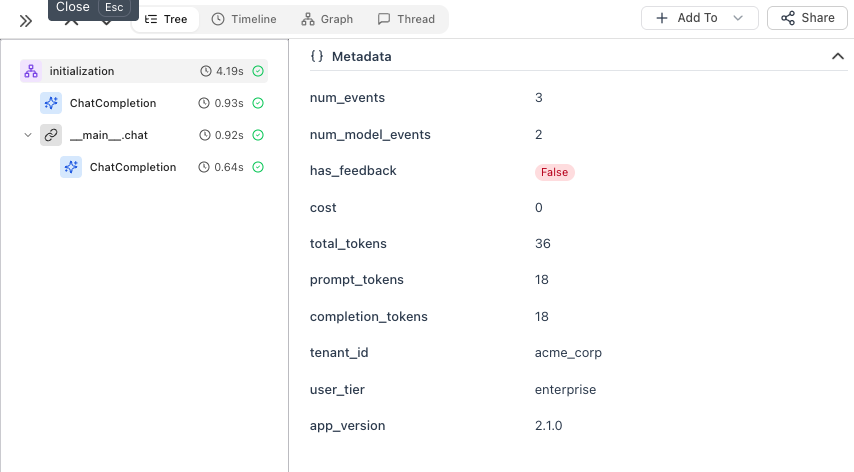
tracer.enrich_session({
    "tenant_id": "acme_corp",
    "user_tier": "enterprise",
    "app_version": "2.1.0"
})

client = openai.OpenAI()
Session metadata showing tenant_id, user_tier, app_version

Option 1: Enrich LLM Spans Directly

The simplest way to add per-call metadata - use using_attributes from OpenInference:
from openinference.instrumentation import using_attributes

with using_attributes(
    session_id="session_123",
    user_id="user_oi_123",
    metadata={"feature": "chat_support", "custom_key": "custom_value"},
    tags=["tutorial", "test"]
):
    response = client.chat.completions.create(
        model="gpt-4o-mini",
        messages=[{"role": "user", "content": "Hello!"}]
    )
    print(response.choices[0].message.content)
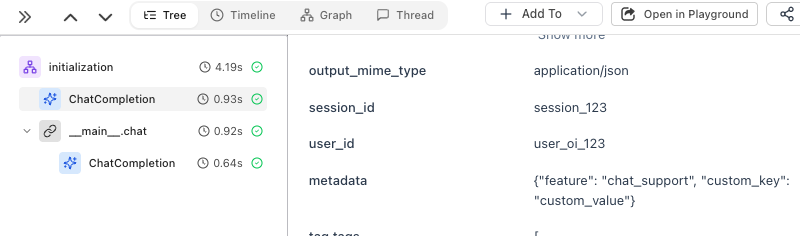
The metadata is attached directly to the ChatCompletion span:
ChatCompletion span with session_id, user_id, metadata

Option 2: Create a Parent Span

When you have multiple steps (retrieval, processing, LLM calls), use @trace to create a parent span that groups them:
from honeyhive import enrich_span, trace

@trace
def answer_question(question: str, user_id: str) -> str:
    enrich_span({
        "user_id": user_id,
        "feature": "qa_pipeline"
    })
    
    # Step 1: Retrieve relevant context
    context = retrieve_documents(question)
    
    # Step 2: Generate answer with context
    response = client.chat.completions.create(
        model="gpt-4o-mini",
        messages=[
            {"role": "system", "content": f"Context: {context}"},
            {"role": "user", "content": question}
        ]
    )
    
    # Step 3: Log the answer
    answer = response.choices[0].message.content
    save_to_history(user_id, question, answer)
    
    return answer

result = answer_question("What's our refund policy?", user_id="user_123")
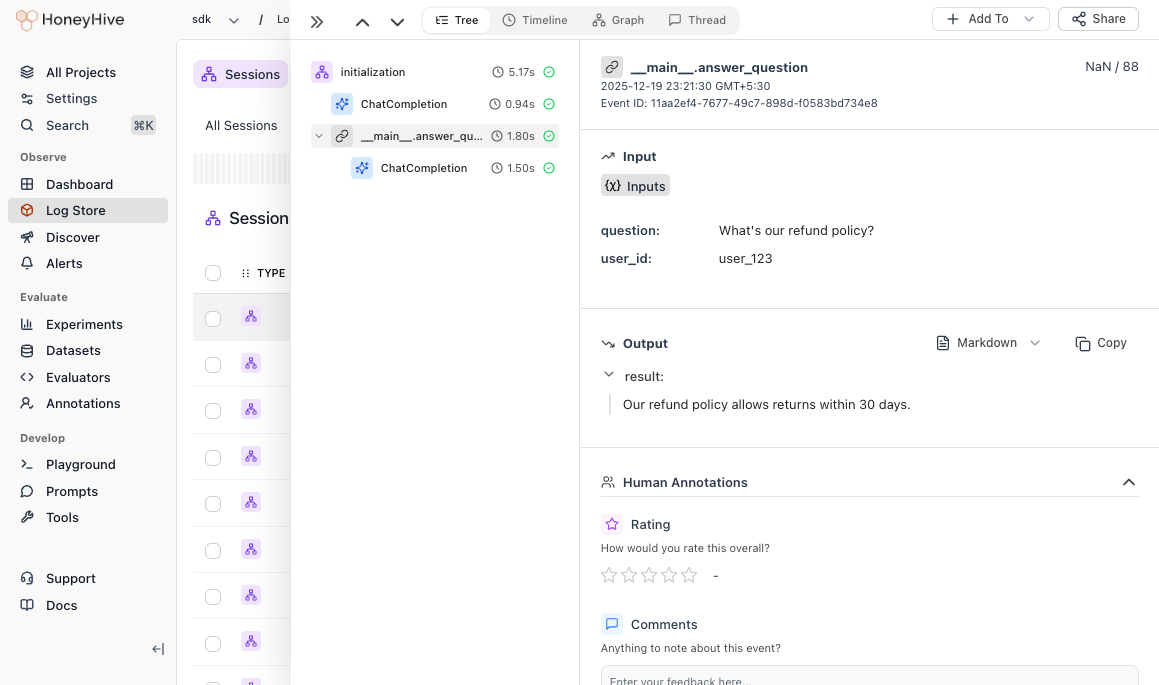
The parent span groups all steps together, so you can see the full pipeline duration and trace through each step:
Parent span showing question, user_id inputs and answer output

When to Use Which

Use CasePattern
Tenant, user tier, app versionenrich_session()
User ID, feature for LLM callsusing_attributes
Pipeline with multiple LLM calls@trace on the entry point

Best Practices

DO: Add user IDs, feature names, environment. Use descriptive keys (user_id not uid). DON’T: Include passwords, API keys, or PII. Keep fields under 1KB.

What’s Next?