

What You’ll Learn
By the end of this tutorial, you will:- Run experiments with
evaluate() - Compare two prompts and measure which performs better
- Create evaluators to automatically score outputs
- View results and metrics in the HoneyHive dashboard
Step 1: Setup
Install dependencies and configure your environment:If you have existing code with
HoneyHiveTracer.init(), you don’t need it here - evaluate() handles tracing automatically. See Tracing Integration for details.Step 2: Create Two Functions to Compare
Write two versions of an intent classifier - one vague, one structured:datapoint dict with inputs and returns an output dict.
Step 3: Create Your Dataset
Define test cases with messages and expected intents:Step 4: Create an Evaluator
Evaluators score your function’s outputs against ground truth:(outputs, inputs, ground_truth) → returns a score (typically 0.0 to 1.0)
Step 5: Run Both Experiments
Run experiments with each prompt version:Step 6: View Results in Dashboard
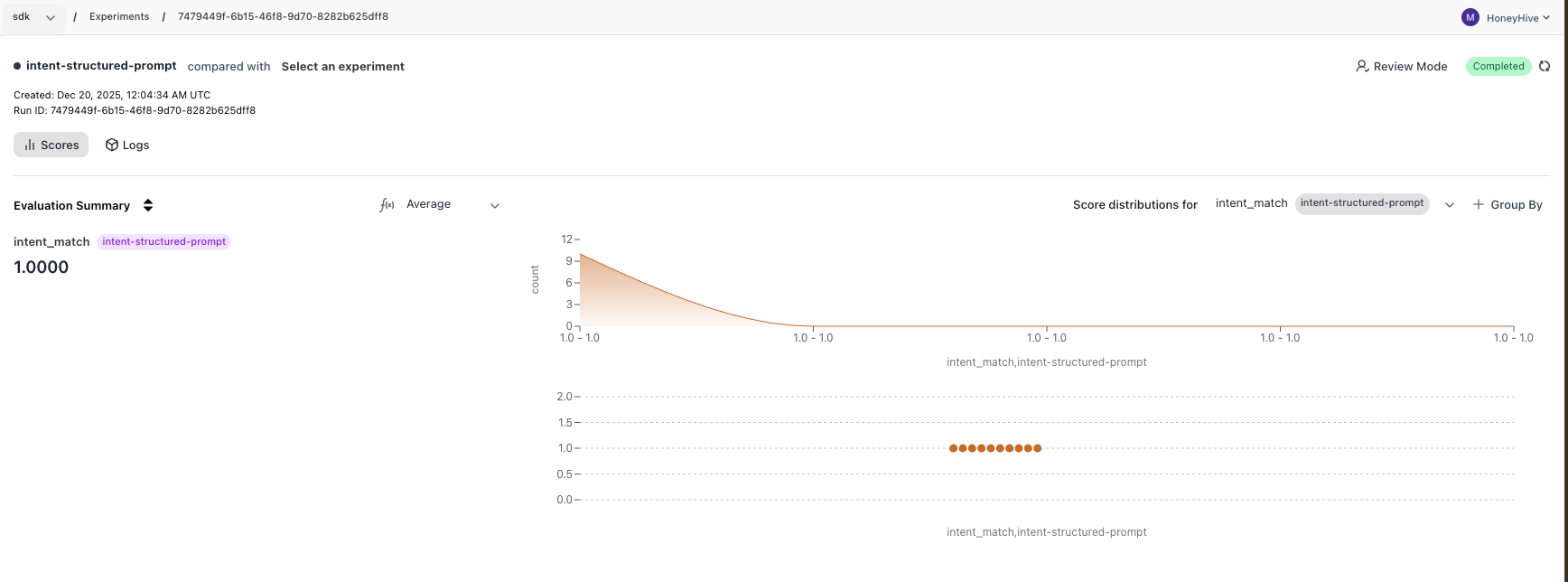
Go to app.honeyhive.ai → Experiments to see your results. The vague prompt produces verbose outputs, causing mismatches. The structured prompt produces clean single-word outputs that match exactly.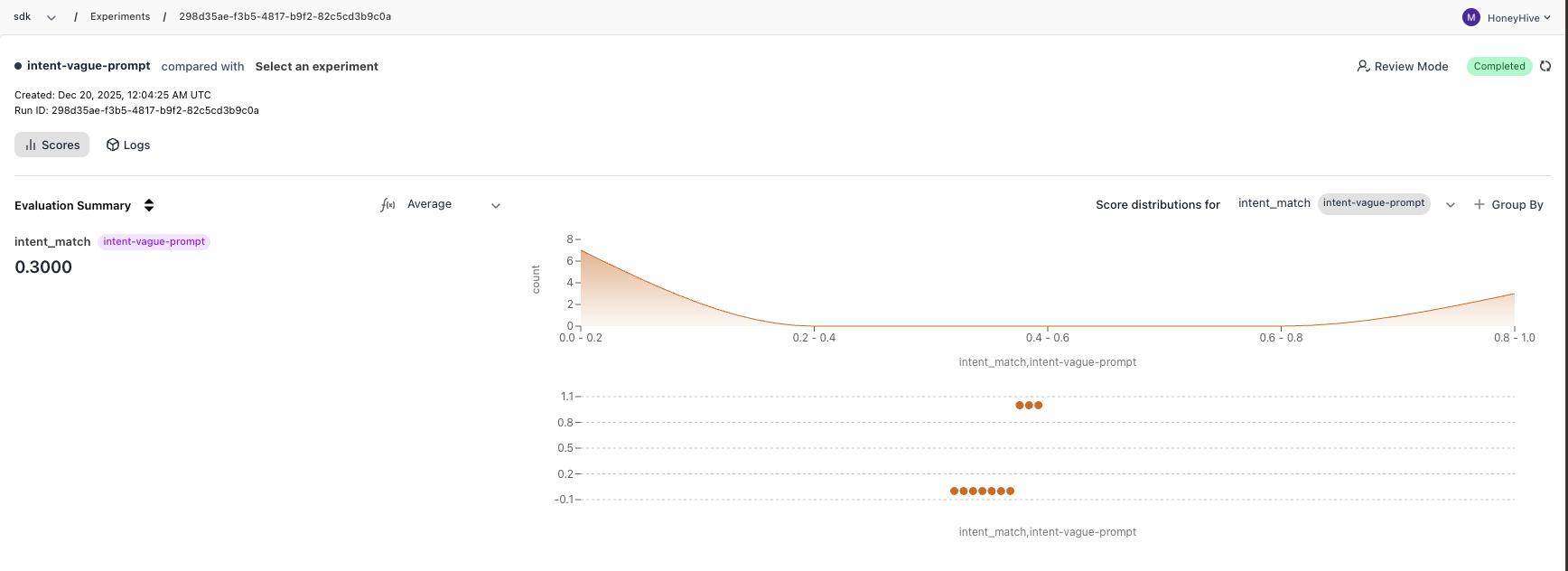
Complete Code
Complete Code
What You Learned
- Create datasets with inputs and ground truths for testing
- Write evaluators that automatically score outputs
- Run experiments with
evaluate()to measure performance - Compare runs programmatically with
compare_runs()or in the dashboard