

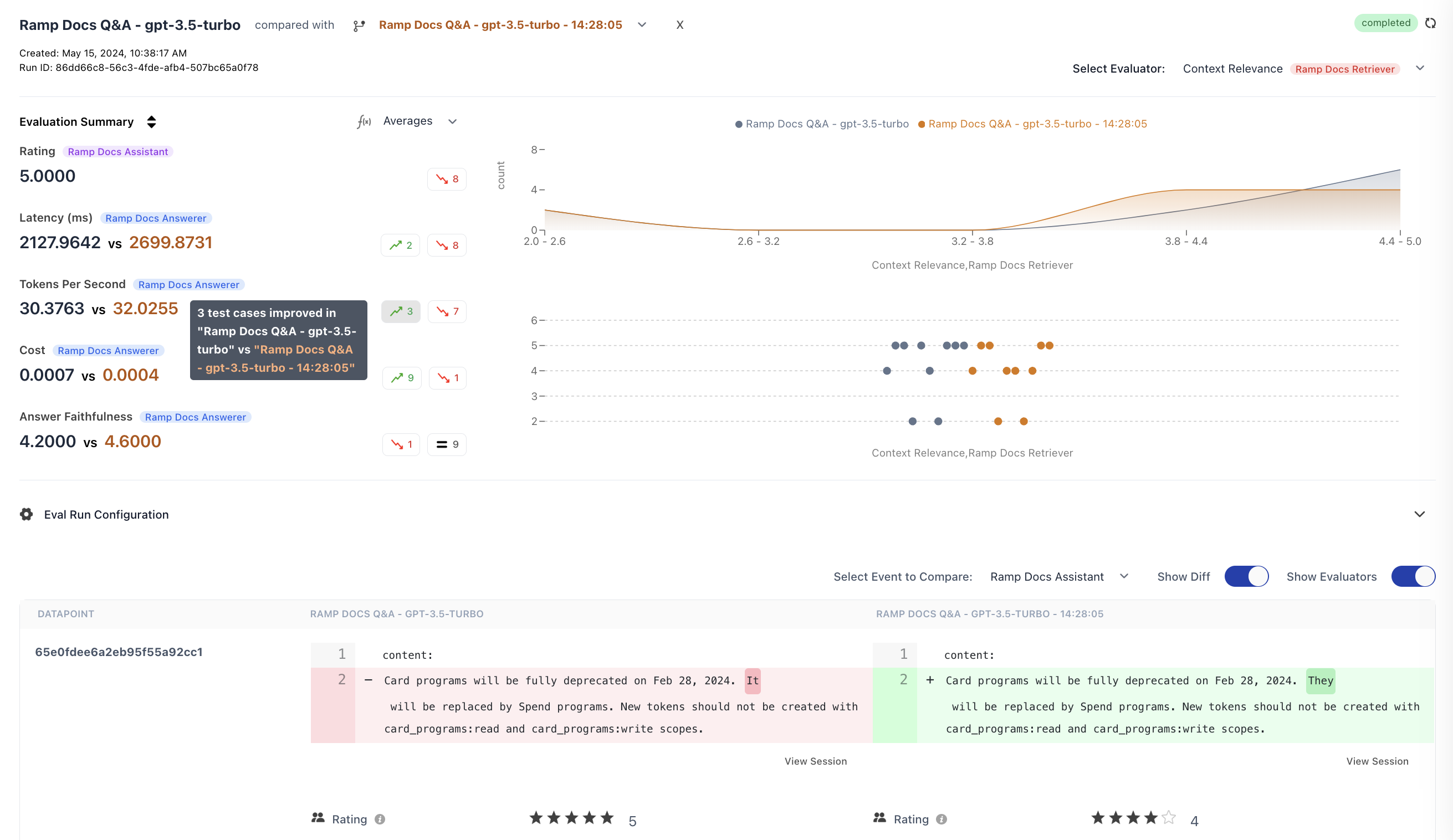
How to Compare Runs
- Go to Experiments in the sidebar
- Select an experiment run to view its details
- Click compared with and select another run from the dropdown
- The view updates to show side-by-side comparison
Runs are comparable when they share common datapoints (matched by
datapoint_id). For best results, run experiments against the same dataset.Comparison Features
Aggregated Metrics
View aggregate scores for each metric across both runs. The summary highlights improved and regressed counts, so you can see at a glance which run performed better on each metric.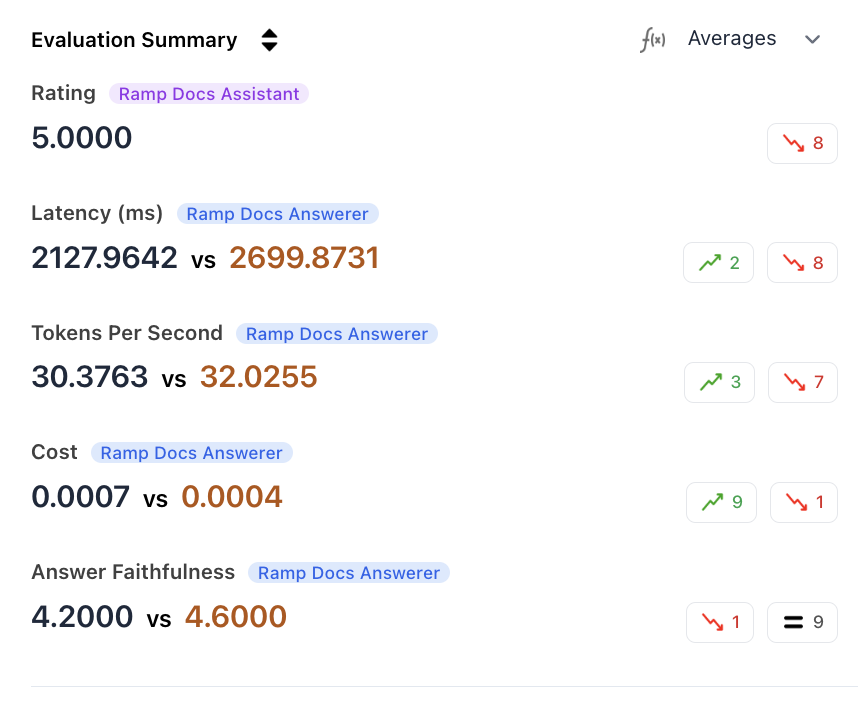
Metric Distribution
Analyze how scores are distributed across datapoints. This helps identify whether improvements are consistent or driven by outliers.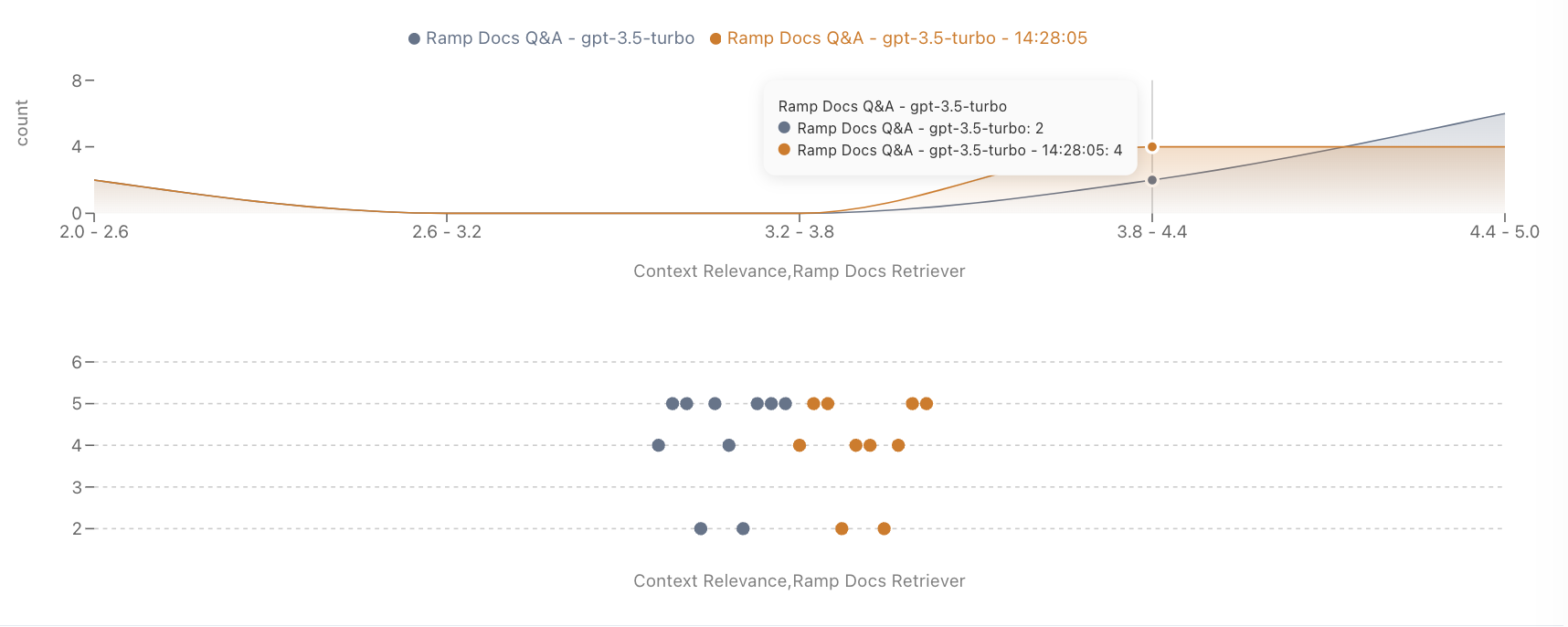
Improved/Regressed Filtering
Filter the datapoint table to show only cases where performance improved or regressed on a specific metric.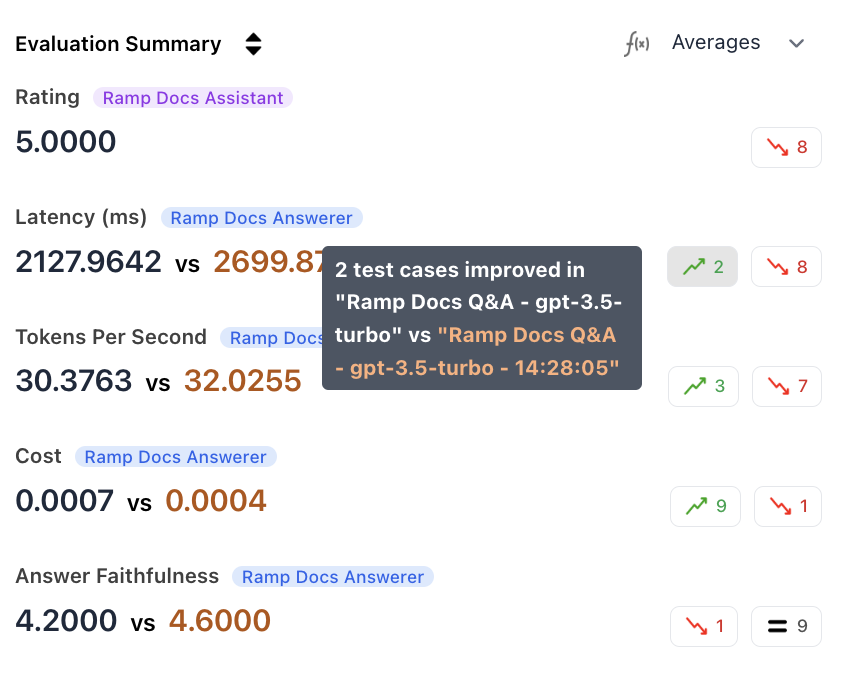
Output Diff Viewer
Toggle Diff mode to see side-by-side outputs for each datapoint, with differences highlighted. This helps you understand exactly how outputs changed between runs.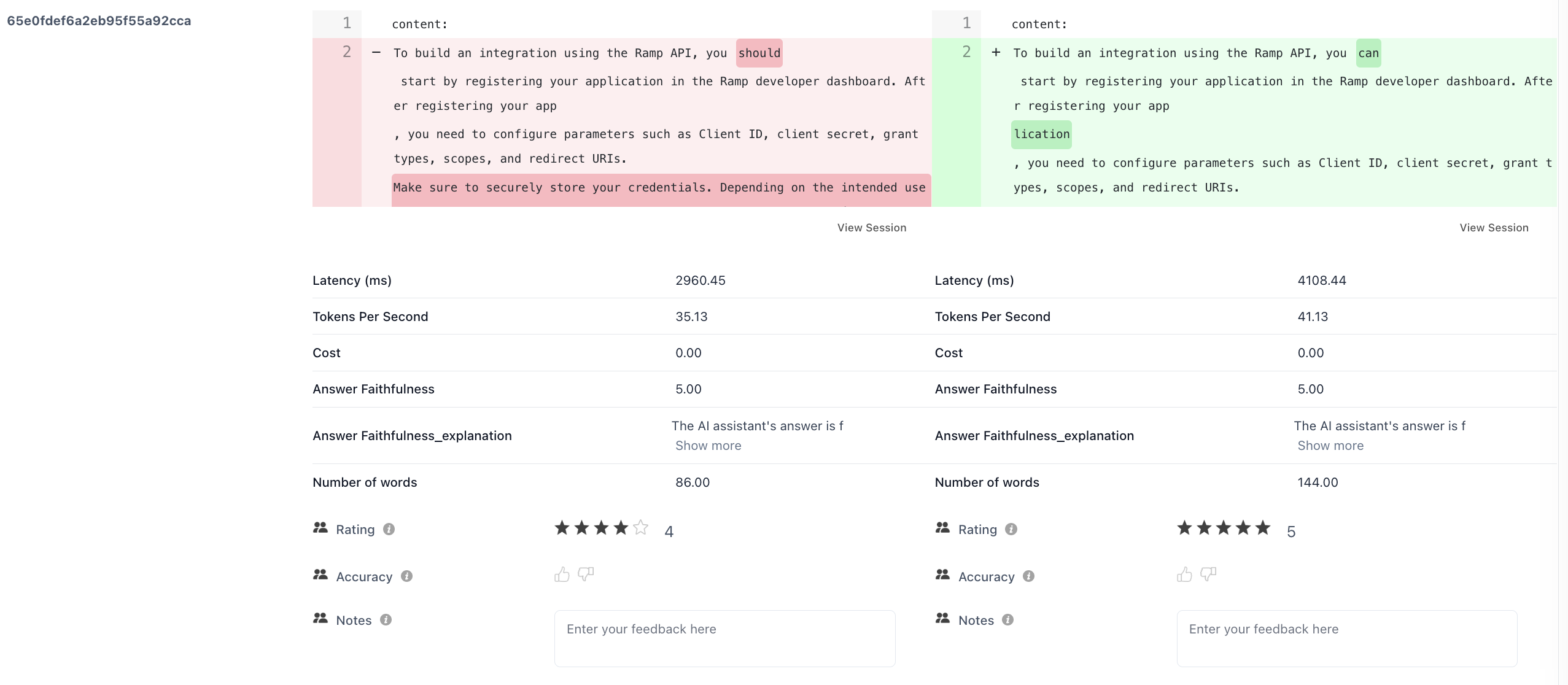
Step-Level Comparisons
For multi-step traces, compare metrics at each individual step using the Viewing Event dropdown. This shows how changes affect specific stages of your pipeline.Programmatic Comparison
Usecompare_runs() to analyze differences in code:
compare_runs() function returns:
common_datapoints- Number of shared datapoints between runsmetric_deltas- Per-metric comparison with old/new aggregates and improved/degraded counts
Best Practices
| Practice | Why It Matters |
|---|---|
| Same dataset | Ensures you’re comparing apples to apples |
| One change at a time | Isolates the impact of each change |
| Sufficient sample size | Avoids conclusions based on outliers |
| Name runs descriptively | Makes it easy to identify what changed (e.g., gpt-4o-temp-0.3 vs gpt-4o-temp-0.7) |