

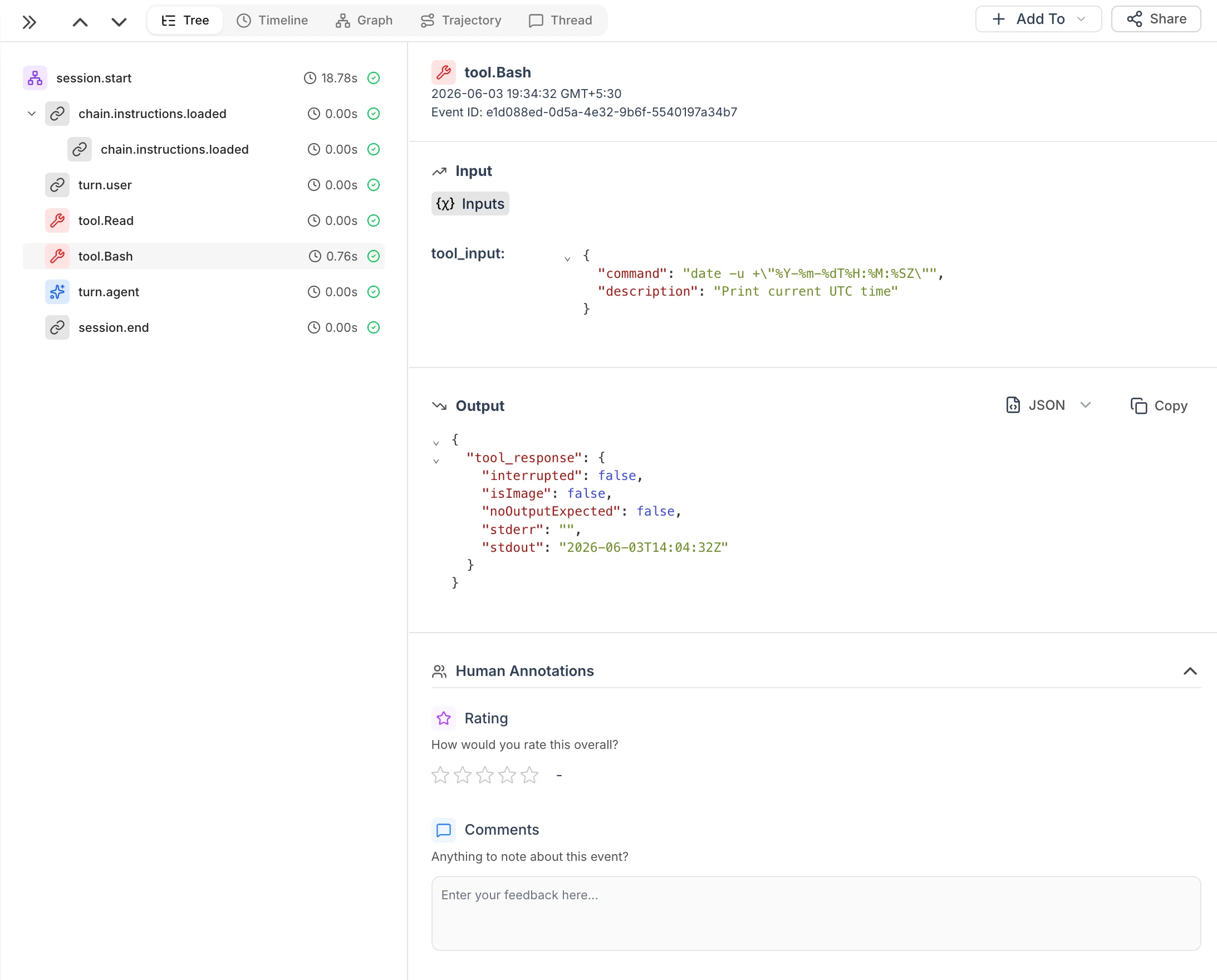
Claude Code session trace in HoneyHive showing tool calls, event tree, and detailed I/O
Quick Start
init or run.
The daemon stores local state in ~/.honeyhive/daemon/ and installs Claude hooks in ~/.claude/settings.json.
Running in the background
stop sends SIGTERM to the running daemon via its PID file (~/.honeyhive/daemon/daemon.pid). Only one instance can run at a time - attempting to start a second prints an error and exits.
How it works
- Installs Claude Code hooks automatically at the user level
- Merges pre-hook and post-hook data into single tool events with accurate duration
- Uses real tool names for event names (e.g.
tool.Bash,tool.Edit,tool.Grep) - Emits turn events (
turn.useraschain,turn.agentasmodel) withchat_history - Enriches tool events with thinking/reasoning context from the session transcript
- Uploads session artifacts via background loop (every 5s) to avoid hook timeouts
- Optionally emits lightweight
chain.commit_linkevents on post-commit - Retries failed exports every 5s via resilient event spooling
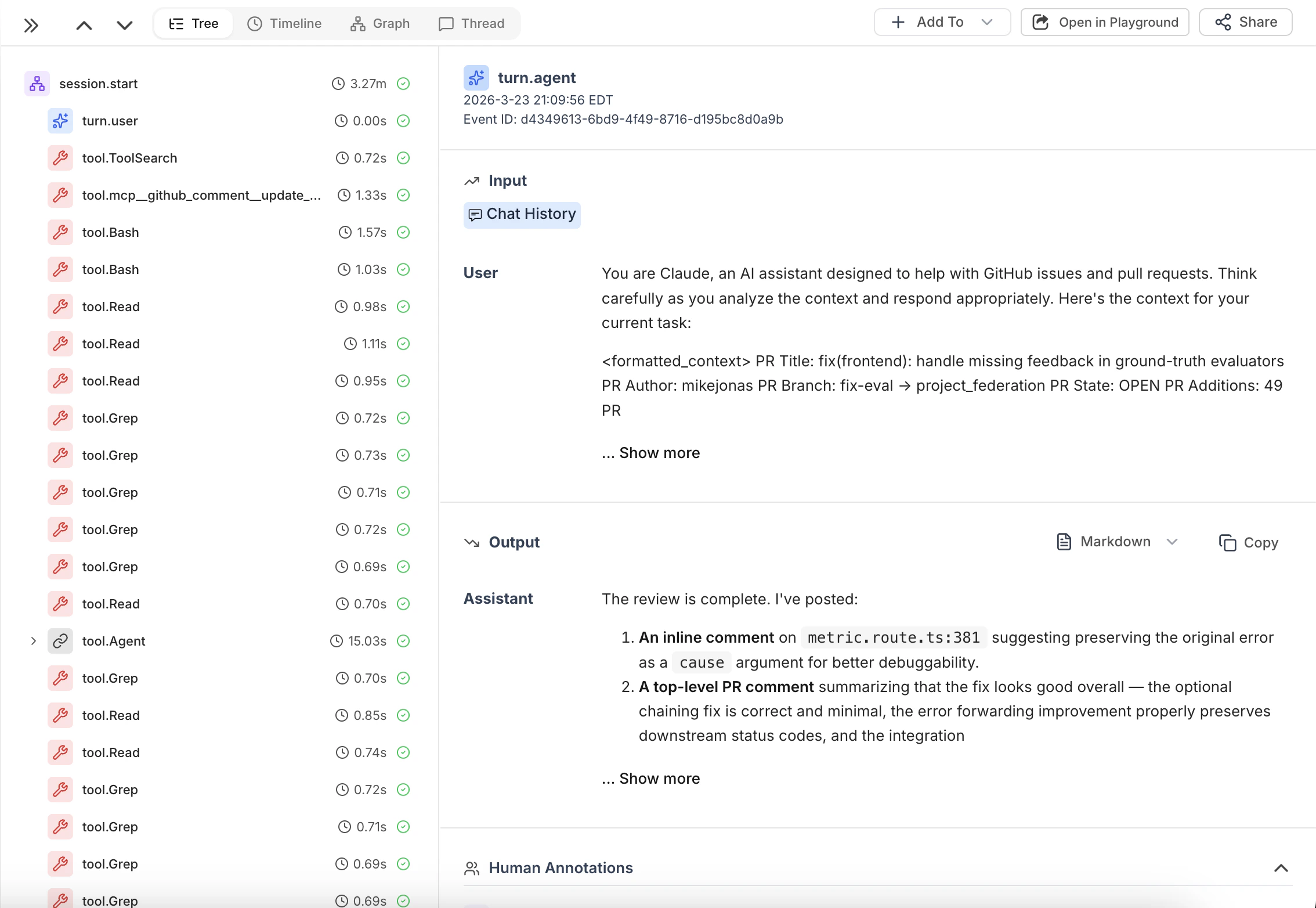
Example: Claude Code session trace showing agent turns and tool calls in HoneyHive
What Gets Traced
The daemon automatically captures all Claude Code activity:- Session lifecycle - Session start and end events as the root trace container
- User and agent turns - Each user prompt and assistant response with full chat history
- Tool executions - Built-in tool calls (
Bash,Edit,Read,Grep, etc.) with arguments, results, and duration - Reasoning context - Thinking/reasoning blocks attached to the tool events they precede
- Git commits - Commit metadata when
--repois configured - Session artifacts - Full conversation view and trajectory transcript on session end
Events
Each Claude Code session produces a tree of events in HoneyHive:
Tool events include
inputs.thinking when a reasoning block precedes the tool call in the transcript. Pre-hook events that never receive a matching post-hook are exported as orphans after 60s.
Session Artifacts
When a session ends (or goes idle), the daemon pushes two views of the conversation:session.start — conversation view
session.start — conversation view
session.start receives outputs.chat_history containing the user-facing conversation: the back-and-forth of user messages and assistant responses. This is what you’d see in the chat UI. Useful for reviewing what was said and evaluating response quality.session.end — trajectory view
session.end — trajectory view
session.end receives outputs.artifact containing the full session transcript: tool calls, reasoning/thinking blocks, and internal processing steps. This is the “behind the scenes” view of how the agent worked through the task.State Directory
All daemon state lives under~/.honeyhive/daemon/ (override with HH_DAEMON_HOME):
CLI Reference
run options
Troubleshooting
If events aren’t showing up in HoneyHive, work through these checks in order:1
Is the daemon running?
Check
~/.honeyhive/daemon/daemon.pid and verify the process is alive:2
Check the log
Look for
spooled (export failures) or missing received claude hook entries:3
Verify config
Confirm API key and base URL are correct:
4
Hooks installed?
Run the built-in diagnostic or inspect the hooks file directly:
5
Spool buildup?
If events are piling up, check the
spool_reason field for error details:6
PATH issues
Ensure
honeyhive-daemon is on PATH in the shell context Claude Code uses. Virtualenv installations may not be visible to hooks: