

honeyhive[openinference-google-adk], call HoneyHiveTracer.init(), run GoogleADKInstrumentor().instrument(tracer_provider=tracer.provider), and use your existing ADK code unchanged. See the tracing quickstart and tracer initialization guides for setup details.
Google Agent Development Kit (ADK) is an open-source, code-first framework for building and deploying AI agents. ADK is model-agnostic and supports multi-agent orchestration, tools, and flexible deployment options. HoneyHive integrates with ADK via the OpenInference instrumentor, automatically capturing agent runs, tool calls, and LLM interactions.
How do I integrate HoneyHive with Google ADK?
Last tested with
google-adk 1.28.1 (April 2026).What Gets Traced
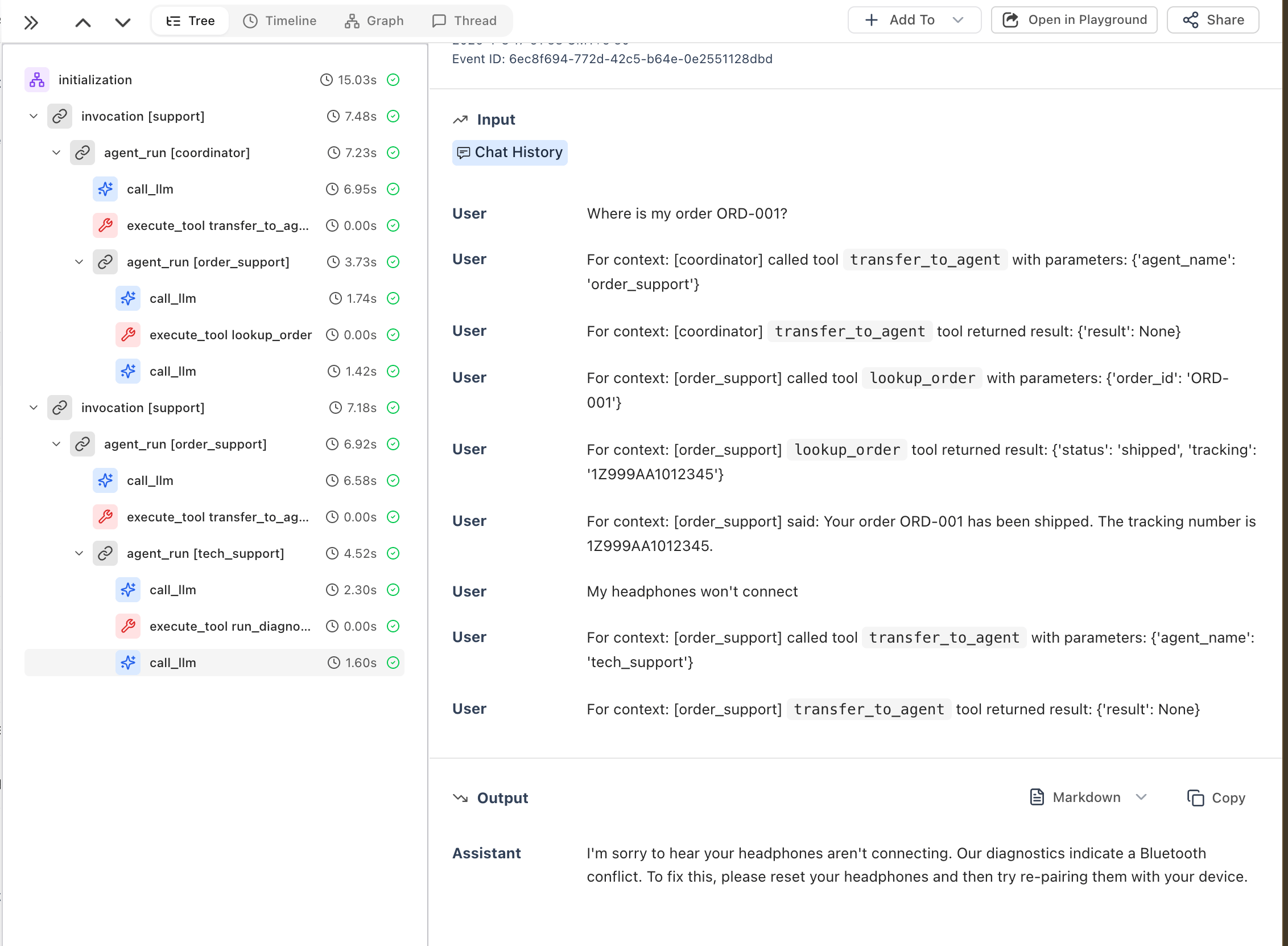
The instrumentor automatically captures:- Agent runs - Every agent invocation with inputs and outputs
- LLM calls - Model requests, responses, and token usage
- Tool calls - Each tool execution with arguments and results
Example: Single Agent
Example: Multi-Agent System
Troubleshooting
Traces not appearing
- Check environment variables - Ensure
HH_INGESTION_API_KEYis set - Pass the tracer provider - The instrumentor must receive
tracer_provider=tracer.provider:
- Initialize before creating agents - Call
instrument()before instantiating ADK agents
Related
Enrich Your Traces
Add user IDs and custom metadata to ADK traces
Custom Spans
Create spans for business logic around agent calls
Distributed Tracing
Trace agents across service boundaries