

system_one call as a model event.
Quick start
Install the packages
Configure your API keys
Instrument TypeSafe
Add these lines before your firstsystem_one call:
HoneyHiveTracer.init() reads HH_INGESTION_API_KEY from your environment.
Last tested with
honeyhive 1.6.0, typesafe-sdk 0.7.0, and openinference-instrumentation-typesafe 0.1.1 in September 2026. This integration requires typesafe-sdk >= 0.6.0.What you see in HoneyHive
TypeSafe evaluates every question in a request in parallel against the same state. Your code can then branch, sort, and route on the answers.
Each
system_one call creates a HoneyHive model event containing:
- The request JSON, including
state,model, andquestions - The typed answers
- Prompt and completion token usage
- The requested and resolved model names
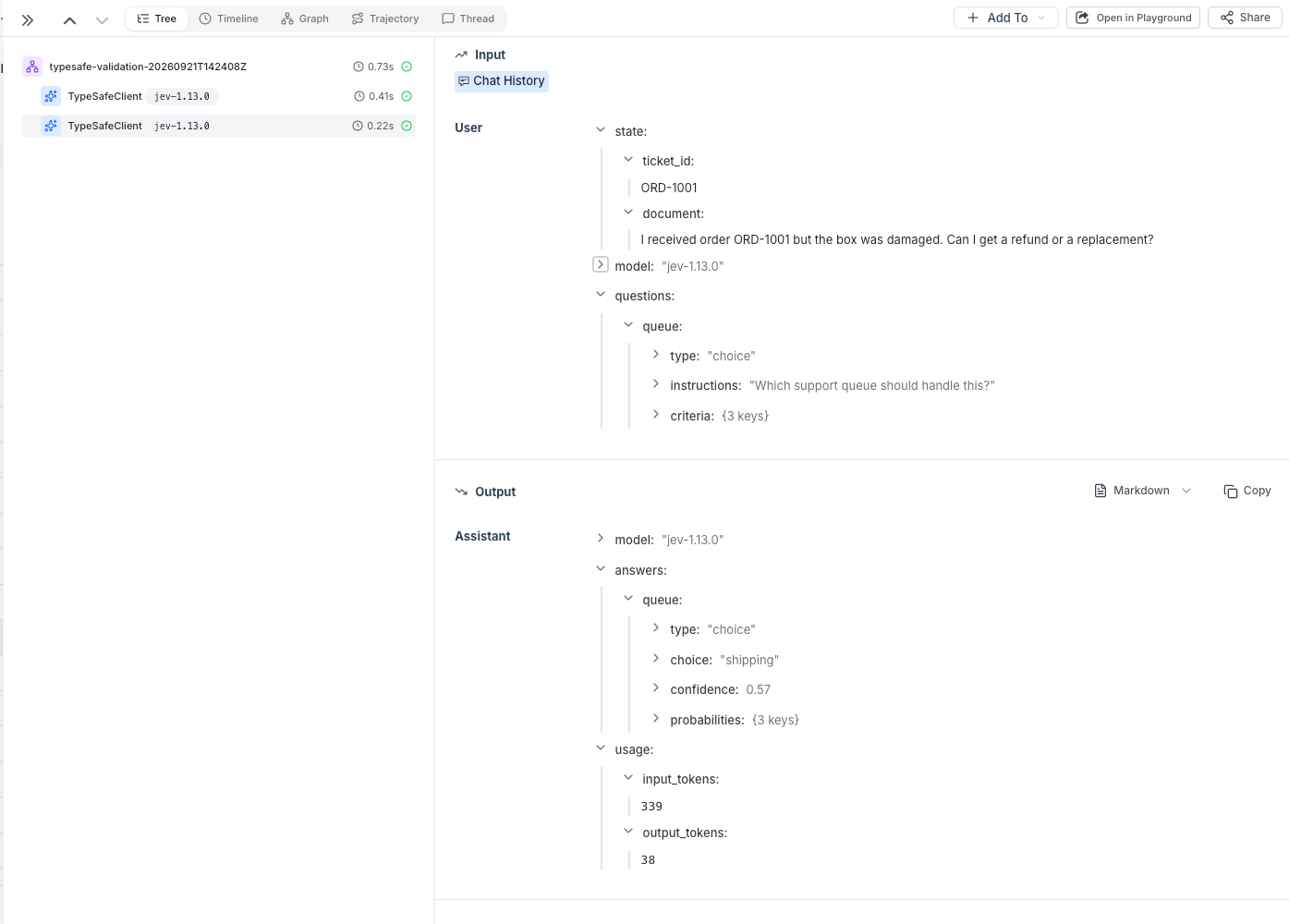
Example: Route support tickets
This example asks three questions about a delayed order, then routes another ticket to a support queue. It pinsjev-1.13.0 because jev-latest moves when TypeSafe releases a new version, which can change scores and confidence values.
Troubleshooting
Check both API keys
Set bothHH_INGESTION_API_KEY and TYPESAFE_API_KEY in the environment where your script runs.
Pass the HoneyHive tracer provider
The instrumentor must receivetracer.provider:
instrument() without tracer_provider=tracer.provider does not connect TypeSafe events to the HoneyHive tracer.
Instrument before the first call
The instrumentor wrapsTypeSafeClient.system_one and AsyncTypeSafeClient.system_one at the class level. Clients created before instrument() are still traced, but any system_one calls made before instrumentation are missed.
Flush short-lived scripts
A short-lived script can exit before its events finish exporting. Useforce_flush() before exit:
Check your TypeSafe SDK version
Usetypesafe-sdk >= 0.6.0. The instrumentor does not wrap older SDK versions.
Related
Enrich Your Traces
Add user IDs and custom metadata to TypeSafe traces
Custom Spans
Create spans for business logic around System One calls
Distributed Tracing
Trace calls across service boundaries