n8n is a workflow automation platform for connecting APIs, apps, and AI steps. n8n’s own telemetry captures workflow structure and timing, but not the LLM detail you need in HoneyHive: per-step inputs, outputs, model config, and business metadata mapped to HoneyHive event types (model, chain, tool). The HoneyHive n8n shipper closes that gap. The shipper works only with self-hosted n8n, since it needs read access to n8n’s execution database. For n8n Cloud, see Other options.

Prerequisites

  • Self-hosted n8n with PostgreSQL execution storage
  • Read access to n8n’s Postgres database
  • A HoneyHive project and API key from Settings > Project > API Keys

Official execution-history shipper

The HoneyHive n8n shipper is a Python sidecar created by HoneyHive. It:
  1. Polls n8n execution storage after each run (or on a schedule)
  2. Reads execution_entity joined with execution_data
  3. Decodes pointer-compressed data (flatted JSON) to recover resultData.runData
  4. Maps n8n node runs to HoneyHive event types (model, chain, tool, session)
  5. Exports HoneyHive-compatible OTLP spans to POST /opentelemetry/v1/traces
The shipper runs one batch cycle per invocation. Schedule it with cron, systemd, or a Kubernetes CronJob.

Install

Clone the shipper and run it from source:
git clone https://github.com/honeyhiveai/n8n-honeyhive-shipper
cd n8n-honeyhive-shipper
uv sync

Configure

Set the required environment variables:
export HONEYHIVE_API_KEY=<your-honeyhive-api-key>
export HONEYHIVE_API_URL=<your-honeyhive-data-plane-host>
export PG_DSN=postgresql://user:password@postgres-host:5432/n8n

# Match your n8n install. Default Docker + Postgres uses unprefixed tables:
export DB_TABLE_PREFIX=
# Some installs prefix tables, e.g. export DB_TABLE_PREFIX=n8n_
HONEYHIVE_API_URL is your HoneyHive data plane API base URL: the host shown in your HoneyHive dashboard or API settings (for example https://api.dp1.us.honeyhive.ai or https://api.dp1.us.prod.honeyhive.ai). The shipper appends /opentelemetry/v1/traces automatically. You can also omit PG_DSN and use n8n-style Postgres variables:
export DB_POSTGRESDB_HOST=postgres-host
export DB_POSTGRESDB_PORT=5432
export DB_POSTGRESDB_DATABASE=n8n
export DB_POSTGRESDB_USER=n8n
export DB_POSTGRESDB_PASSWORD=<password>
export DB_TABLE_PREFIX=
Useful optional settings:
VariableDefaultPurpose
DRY_RUNtrueMap executions without exporting to HoneyHive
CHECKPOINT_FILE.shipper_checkpointStores the last processed execution ID
FILTER_AI_ONLYfalseExport AI-related spans plus required context
FILTER_WORKFLOW_IDSnoneComma-separated workflow ID allowlist
TRUNCATE_FIELD_LEN0Truncate large input/output strings (0 disables truncation)
OTEL_EXPORTER_OTLP_ENDPOINTderived from HONEYHIVE_API_URLFull OTLP traces URL override

Run

The --dry-run and --no-dry-run flags override the DRY_RUN environment variable for a single invocation. Start with a dry run:
uv run n8n-honeyhive-shipper shipper --dry-run --limit 5 --debug
Export a small batch:
uv run n8n-honeyhive-shipper shipper --no-dry-run --limit 1
Then run incrementally on a schedule:
uv run n8n-honeyhive-shipper shipper --no-dry-run
The shipper updates CHECKPOINT_FILE after successful non-dry-run exports, so later runs resume from the last processed execution ID.

Where n8n stores runData

On self-hosted n8n, finished executions are persisted in the database:
TableKey columnsContents
execution_entityid, workflowId, status, startedAt, stoppedAt, modeExecution metadata
execution_dataexecutionId, workflowData, dataStatic workflow snapshot plus runtime payload
The data column holds resultData.runData: a map of node name to execution runs, each with startTime, executionTime, executionStatus, and per-item JSON under data.main. The data value may be flatted (pointer-compressed JSON), while workflowData is usually plain JSON.

Operational notes

ConcernDetail
LatencyNear-real-time poll (seconds) or backfill batch; not inline with workflow execution
Re-exportA checkpoint file tracks processed executions, so incremental runs export each one once. Keep the checkpoint on durable storage: if it is lost or the shipper crashes before writing it, executions are re-exported and currently create duplicate spans.
Queue modeWorkers write to the same execution tables; run the shipper after executions are persisted
The shipper reads execution runData, which may include PII, API responses, or resolved secret values from workflow nodes. Use a read-only DB role, restrict workflow scope with FILTER_WORKFLOW_IDS when possible, and review redaction requirements before exporting production data.

Example workflow: support ticket triage

A multi-step workflow that classifies an incoming support ticket and routes it. Classify Urgency and Sentiment and Draft Customer Response are OpenAI nodes, so they map to model events with gen_ai.* fields; the order lookup and routing steps are static Set and Code nodes that map to chain events. Any other LangChain LLM node (for example Anthropic) maps the same way. The shipper exports the whole run from execution history, so no HTTP Request nodes are added after each step.

Verify in HoneyHive

1

Run the workflow

Execute the workflow from the n8n UI or workflow execute API. Confirm the execution is stored in n8n’s Postgres database, then run the shipper with --no-dry-run.
2

Check shipper-exported spans

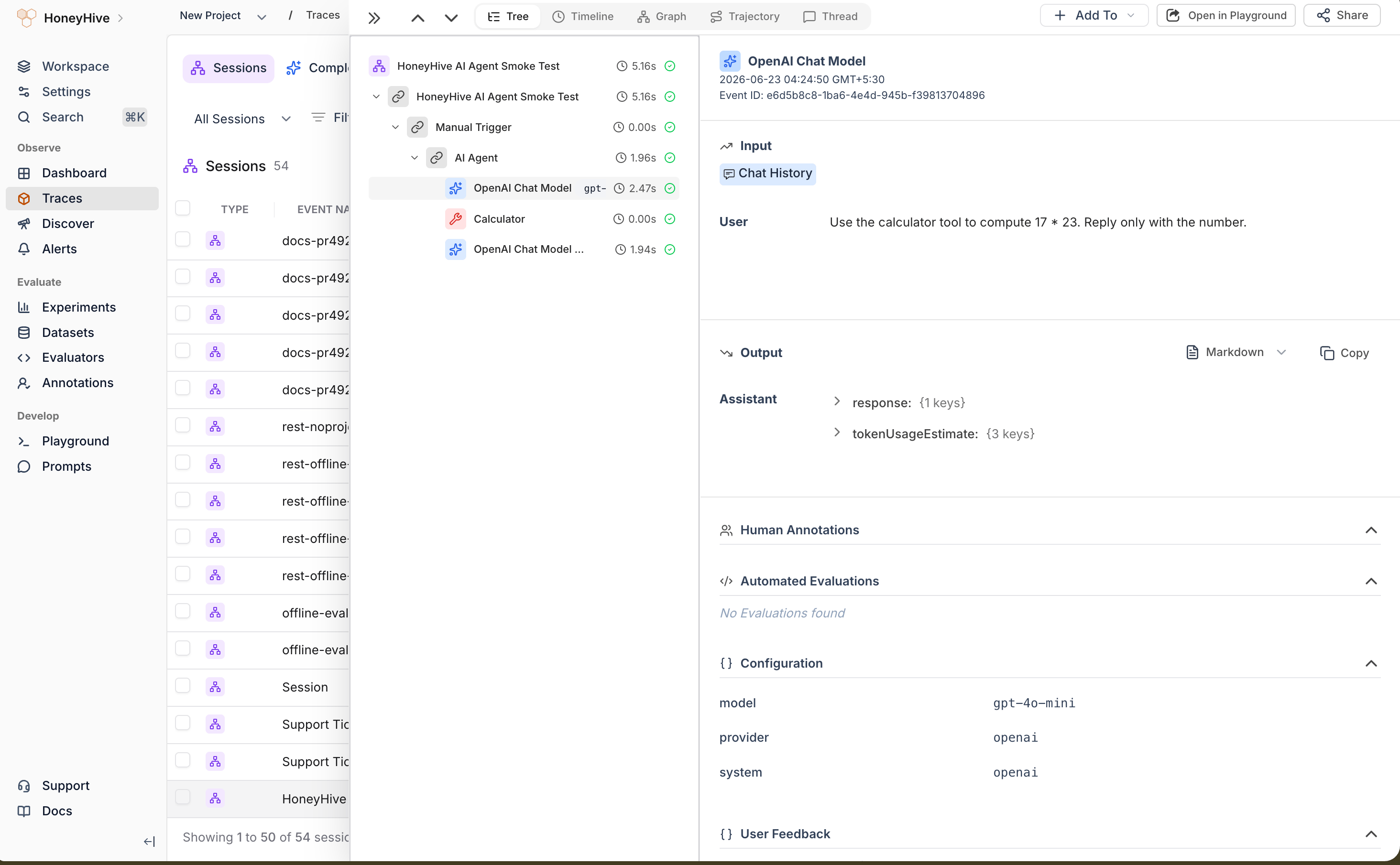
In Traces, search for the workflow name or a node name from the execution. Shipper spans include service.name = n8n-honeyhive-shipper and n8n metadata such as honeyhive.session_id, n8n.metadata.n8n.execution.id, and n8n.workflow.id. Node spans are mapped to HoneyHive event types and include input/output values plus gen_ai.* fields when available.
HoneyHive trace of an n8n support-ticket-triage run, with the Draft Customer Response model event open

Troubleshooting

SymptomFix
No shipper-exported spans in HoneyHiveConfirm HONEYHIVE_API_KEY, HONEYHIVE_API_URL, and PG_DSN point to the expected HoneyHive project and n8n database. Run a dry run first, then export with --no-dry-run.
Shipper missing executionsConfirm the shipper points at the same Postgres DSN as the n8n instance that ran the workflow. Check DB_TABLE_PREFIX (empty for unprefixed tables such as execution_entity; n8n_ only if your tables are prefixed), workflow filters, and .shipper_checkpoint.
Flatted parse errorsexecution_data.data is often pointer-compressed. Use a flatted decoder, not plain JSON.parse.

Other options

  • n8n Cloud: The shipper requires database access, so it does not work with n8n Cloud. For Cloud workflows, log a small number of summary events with the HoneyHive Events API, or instrument the application that triggers n8n.

Tracing via API

Full REST logging guide for sessions, model events, and batches

TrueFoundry Integration

Automatic OTLP trace export from an AI gateway

Tracing Introduction

Sessions, event types, and trace hierarchy

Enrich Your Traces

Add metadata, user properties, and feedback

Resources