

- Running ad-hoc experiments and evaluations to test prompts, models, or configurations.
- Setting up automated tests within your CI/CD pipeline to catch regressions.
- Creating curated sets for fine-tuning your language models.
Why Use HoneyHive Datasets?
Managing datasets within HoneyHive offers several advantages:- Centralized Management & Collaboration: Provides a single source of truth for your test cases and evaluation data, accessible via both UI and SDK. Makes it easier for teams, including domain experts (like linguists or analysts), to collaborate.
- Continuous Curation: Refine and expand datasets by filtering and curating directly from your production logs and traces.
- Integration: Datasets work with HoneyHive’s evaluation framework and can be exported for fine-tuning or external tools.
Use Cases
- Evaluating specific failure modes or performance aspects of your LLM application
- Tracking performance across different user segments or input types
- A/B testing different prompts, models, or RAG configurations
- Building datasets for fine-tuning models on specific domains
- Regression testing with benchmark datasets
Dataset Structure
Datapoints and Fields
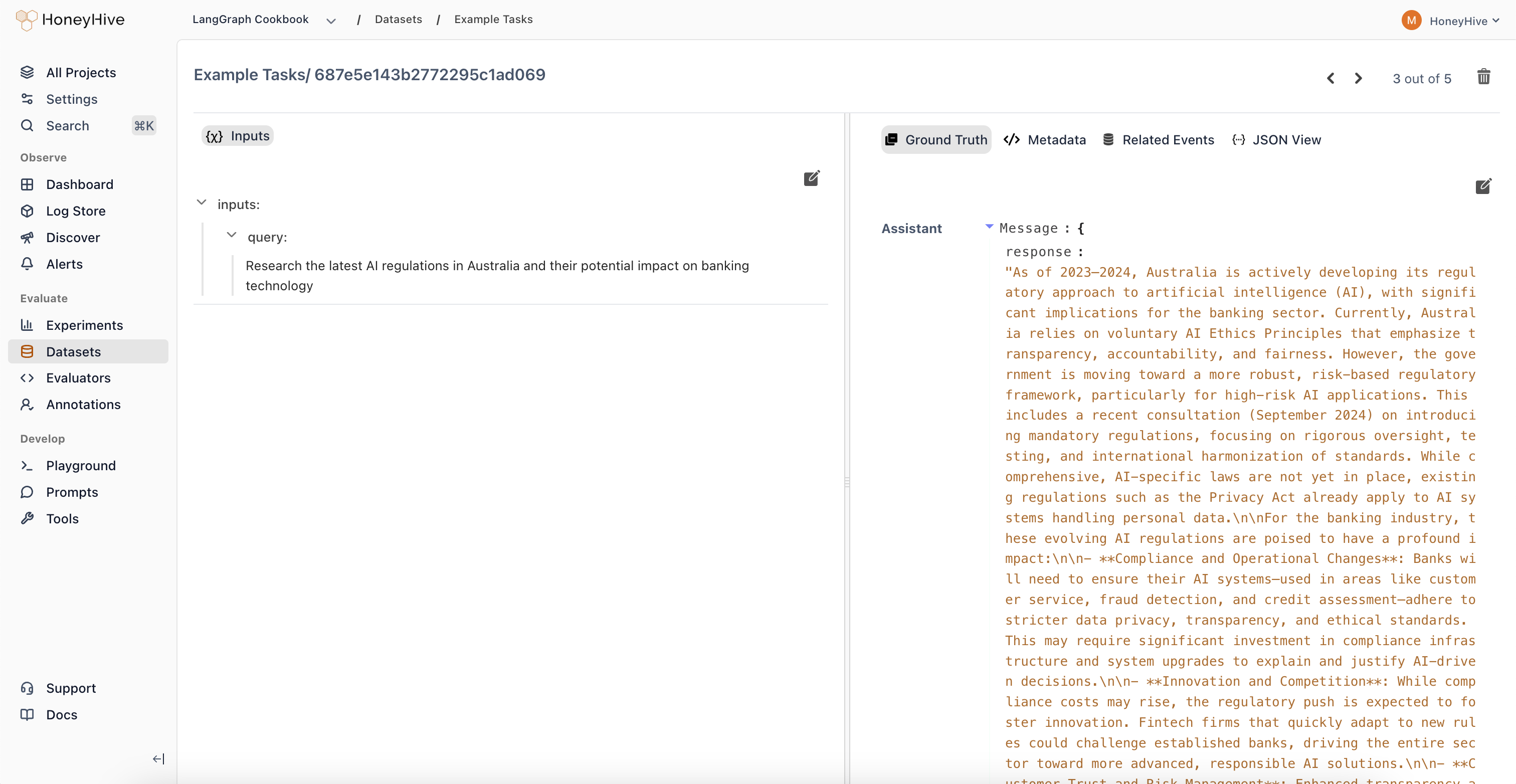
Each row in a HoneyHive dataset is called a datapoint. A datapoint is composed of multiple fields, which are essentially key-value pairs representing different aspects of that datapoint (e.g.,user_query, expected_response, customer_segment).
Field Groups
When creating or uploading a dataset, each field must be mapped into one of the following functional groups:- Input Fields: These represent the data that will be fed into your application or function during an evaluation run. Examples include user prompts, query parameters, or document snippets for RAG.
- Ground Truth Fields: These contain the expected or ideal outputs or reference answers for a given input. They are used by evaluators to compare against the actual output of your application. Examples include reference summaries, known correct answers, or ideal classification labels.
- Chat History Fields: This group is specifically for conversational AI use cases. It holds the sequence of previous messages in a dialogue, providing context for the current turn being evaluated.
- Metadata Fields: Any field not explicitly mapped as Input, Ground Truth, or Chat History automatically falls into this category. Metadata fields store supplementary information that might be useful for analysis or filtering but isn’t directly used as input or ground truth during evaluation (e.g.,
source_log_id,timestamp,user_segment).
Creating Datasets
There are several ways to create datasets in HoneyHive:- From Production Traces: Filter and select interesting interactions or edge cases directly from your logged production data within the HoneyHive UI to build targeted datasets. Learn more.
- Uploading Data via UI: Upload structured files (JSON, JSONL, CSV) directly through the HoneyHive web interface. Learn more.
- Uploading Data via SDK: Programmatically create and upload datasets using the HoneyHive Python SDK. Learn more.
- In-Code Datasets: Define datasets directly within your evaluation script code (primarily for quick tests or simple use cases, discussed below).
Using Datasets
Primary Use: Experiments
Datasets are most commonly used when running experiments to evaluate your AI application’s performance. You can use either datasets managed within HoneyHive or define them directly in your code. Managed Datasets (Recommended) These are datasets created via the UI, SDK, or from traces, and reside within your HoneyHive project. They are identified by a uniquedataset_id.
- Pros: Centralized, collaborative, reusable across experiments.
-
How to use: Create the dataset beforehand (see the Creating Datasets section). Then, pass its
dataset_idto theevaluatefunction.
- Pros: Simple for quick tests, self-contained within code.
- Cons: Harder to share, manage, version, and reuse; not suitable for large datasets.
-
How to use: Define the list with
inputsandground_truthfields, then pass it via thedatasetparameter toevaluate().Datasets always have an ID. In the example above, an ID is automatically generated (prefixed withEXT-followed by a hash of the content, e.g.,EXT-dc089d82c986a22921e0e773). You can optionally add anidfield to each datapoint to use your own identifiers:Custom datapoint IDs appear in the UI prefixed withEXT-(e.g.,EXT-tp-001), helping you trace individual rows back to your source data.
When calling
evaluate, provide either the dataset_id (for managed datasets) or the dataset parameter (for in-code datasets), but never both.Other Uses
- Export for fine-tuning language models
- Regression testing - run experiments in your test suite to catch performance regressions