

Creating a Python Evaluator
- Navigate to the Evaluators tab in the HoneyHive console.
- Click
Add Evaluatorand selectPython Evaluator.
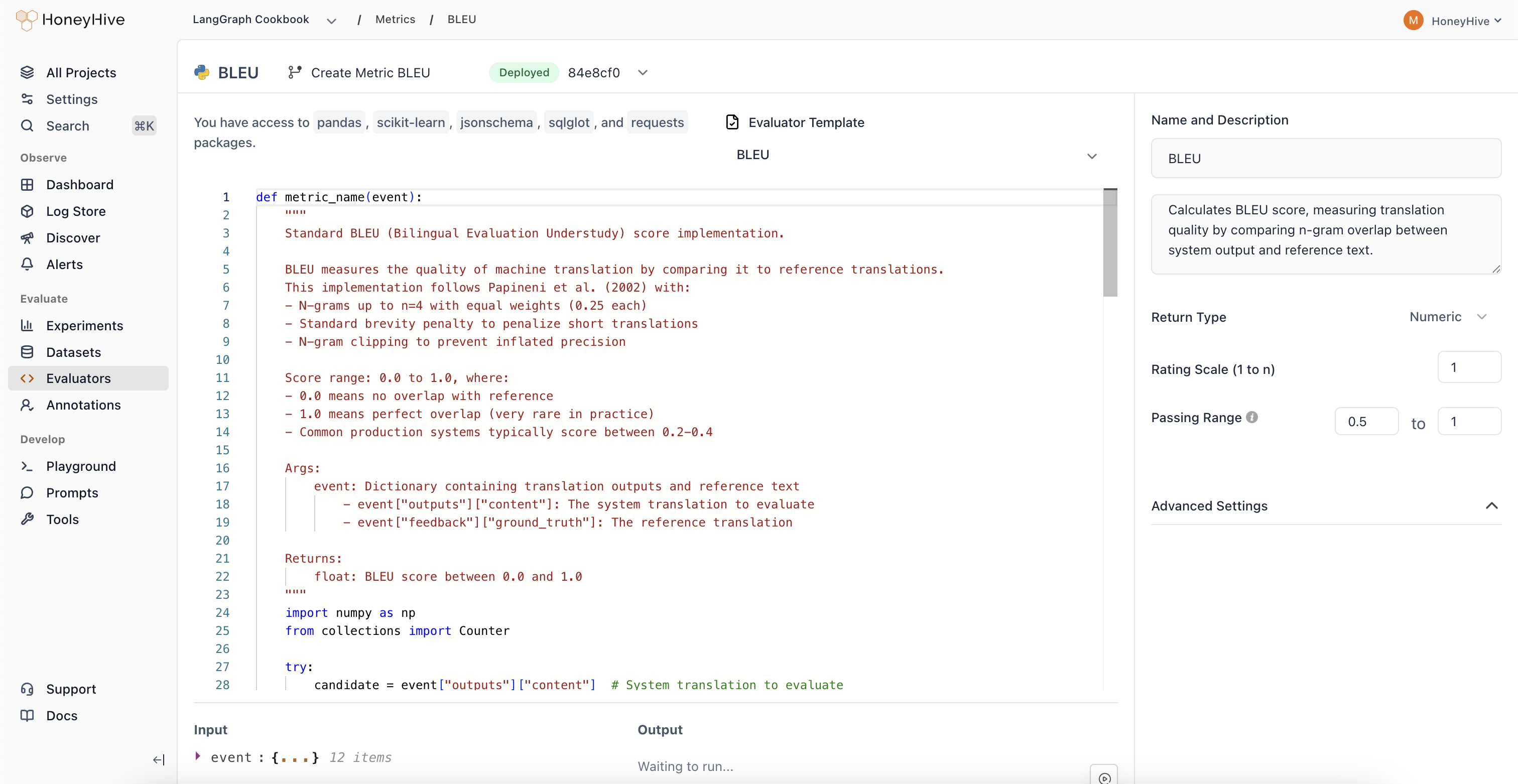
HoneyHive’s server-side Python evaluators have access to Python’s standard library and packages including
pandas, scikit-learn, jsonschema, sqlglot, and requests.Event Schema
Python evaluators operate onevent objects representing spans in your traces.
| Property | Description | Example |
|---|---|---|
inputs | Input data for the event | event["inputs"]["query"] |
outputs | Output data from the event | event["outputs"]["content"] |
feedback | User feedback and ground truth | event["feedback"]["ground_truth"] |
metadata | Additional event metadata | event["metadata"]["model"] |
event_type | Type: model, tool, chain, or session | event["event_type"] |
event_name | Name of the specific event | event["event_name"] |
Evaluator Function
Define your evaluation logic in a Python function:Looking for ready-made examples? Check out our Python Evaluator Templates.
Configuration
Event Filters
Filter which events this evaluator runs on byEvent Type and Event Name. Use this to target specific spans in your pipeline (e.g., only model events named generate_response).
Return Type
Boolean: For true/false evaluationsNumeric: For scores or ratings (configure the scale, e.g., 1-5)String: For categorical outputs
Passing Range
Define pass/fail criteria for your evaluator. Useful for CI builds and detecting failed test cases.Advanced Settings
Expand to configure:- Requires Ground Truth: Enable if your evaluator needs
feedback.ground_truth
Production Settings
After creating an evaluator, you can enable it for production traces from the Evaluators table:- Enabled: Toggle to run this evaluator on production traces (where
source != evaluation) - Sampling %: When enabled, set a sampling percentage to control costs (e.g., 25% evaluates one in four events)
Using with Experiments
Server-side evaluators automatically run on all experiment traces that match your event filters. When you runevaluate(), your server-side evaluators score the results without any additional code.