

Creating an LLM Evaluator
- Navigate to the Evaluators tab in the HoneyHive console.
- Click
Add Evaluatorand selectLLM Evaluator.
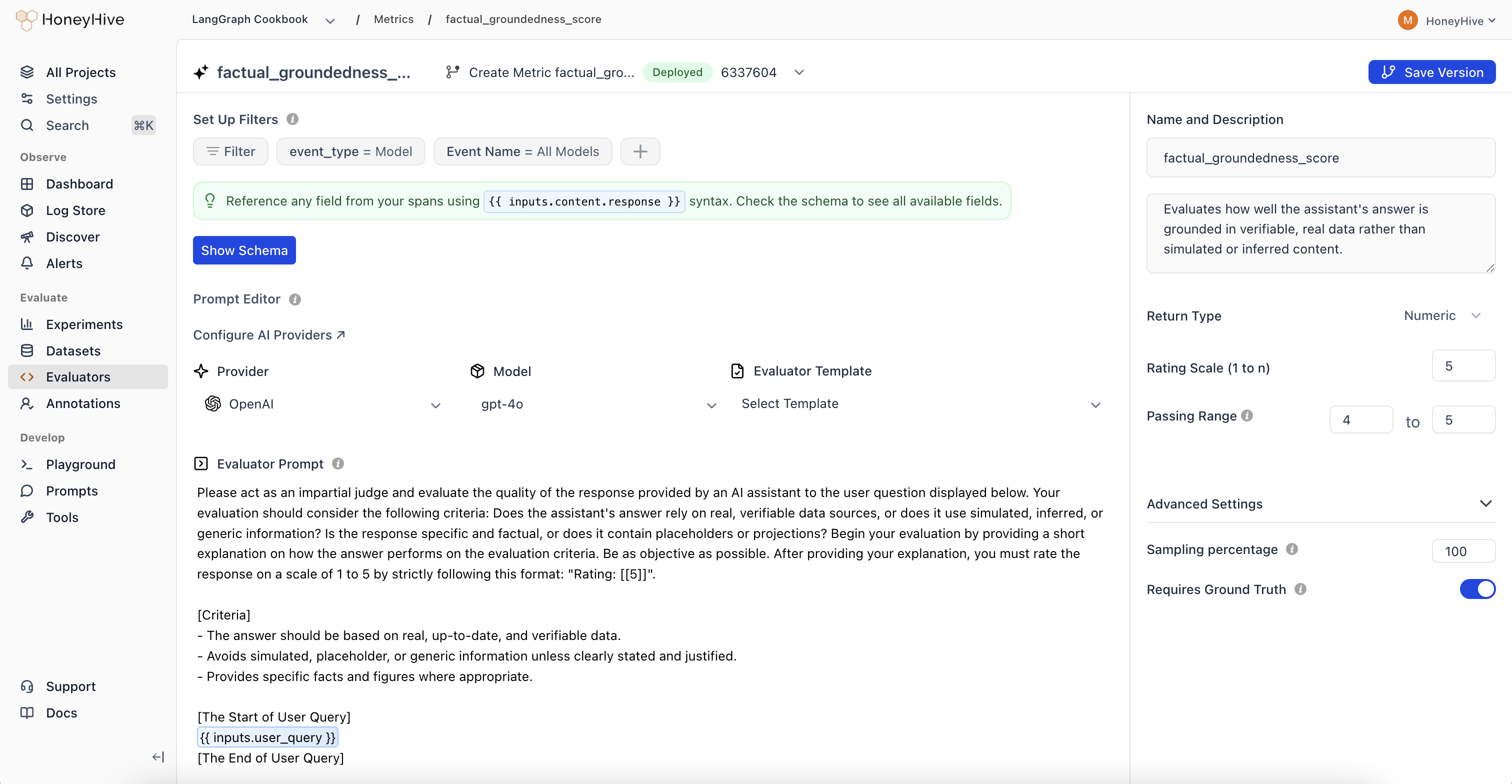
LLM evaluators use your configured AI provider. Set up provider keys in Provider Keys to use models from OpenAI, Anthropic, or other providers.
Event Schema
LLM evaluators operate on event objects from your traces. Use{{ }} syntax to reference event properties in your prompt.
| Property | Description | Example |
|---|---|---|
event_type | Type of event: model, tool, chain, or session | {{ event_type }} |
event_name | Name of the event or session | {{ event_name }} |
inputs | Input data (prompt, query, context, etc.) | {{ inputs.question }} |
outputs | Output data (completion, response, etc.) | {{ outputs.content }} |
feedback | User feedback and ground truth | {{ feedback.ground_truth }} |
For detailed event schema documentation and tracing setup, see Configuring Tracing for Server-Side Evaluators.
Evaluation Prompt
Define your evaluation prompt using the{{ }} syntax to inject event data:
Looking for ready-made examples? Check out our LLM Evaluator Templates.
Configuration
Return Type
- Boolean: For true/false evaluations
- Numeric: For scores or ratings (e.g., 1-5)
- String: For categorical labels or text responses
Passing Range
Define the range of scores that indicate a passing evaluation. Useful for CI/CD pipelines and identifying failed test cases.Enabled
Toggle to run this evaluator on production traces. Production is defined as any traces wheresource != evaluation.
Sampling Percentage
Run your evaluator on a percentage of production events to manage costs. Set a sampling percentage (e.g., 25%) based on your event volume.Sampling only applies to production traces (
source is not evaluation or playground). Offline evaluations always run on 100% of datapoints.Event Filters
Use Set Up Filters to specify which events trigger this evaluator:- event_type: Filter by
model,tool,chain, orsession - Event Name: Target a specific event name or use “All” to match any